


Introduction
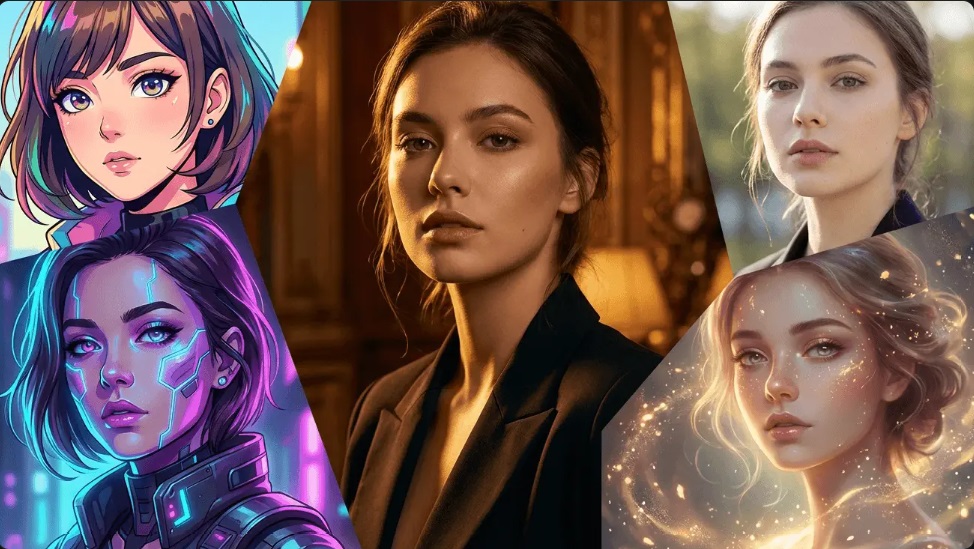
Everyone remembers the first time they tried to edit an AI image the old way. Draw a mask. Feather the edges. Type a prompt. Regenerate. Nope, that’s not it either. Redo the mask. Try again. Twenty minutes later, the shadow’s still wrong.
Conversational editing is the shift that killed all that. Type what you want. “Make the jacket navy.” “Warm the light.” “Remove the person behind her.” The model figures out the region, keeps everything else untouched, and hands back a version that actually matches the note.
The tools that do this well are a small subset of the market. Plenty of platforms bolt on a chat window; far fewer preserve the rest of the scene when they act on it. This roundup ranks ten AI image generators specifically on how they handle natural-language editing — not just first-shot generation, but the back-and-forth after. Browser-native options like Nano Banana sit alongside broader creative suites where conversational editing is one feature among many.
How We Test
Five checkpoints. Same scoring across the board:
- Natural-language range — does it understand style, mood, and object references, or just literal object names?
- Scene preservation — after an edit, does everything else stay identical?
- Region targeting — can the model isolate the right area without a mask?
- Multi-turn coherence — does turn 5 remember turn 2?
- Reference channels — separate slots for subject, style, or scene?
TL;DR Comparison
| Rank | Platform | Editing Interaction | Scene Preservation | Reference Channels | Multi-Turn |
| 1 | Nano Banana Bingo | Conversational text | Yes, native | Subject + style + scene | Yes |
| 2 | Fotor | Prompt-driven local edit | Yes, region-level | Multi-model dependent | Yes |
| 3 | Flora.ai | Canvas + prompt annotations | Layer-based | Model-dependent | Yes |
| 4 | Template.net | Voice + text prompts, URL import | Model-dependent | Product-link input | Yes |
| 5 | Artlist | Prompt inside Studio env | Model-dependent | Nano Banana lineup | Yes |
| 6 | MiriCanvas | Prompt inside canvas | Template-bound | Model-dependent | Limited |
| 7 | Creen AI | Multi-engine prompt picker | Model-dependent | Image reference | Yes |
| 8 | DALL-E AI | Shortcut modes + prompt | Model-dependent | Image reference | Limited |
| 9 | Shutterstock AI | Text + reference upload | Model-dependent | Reference-based | Limited |
| 10 | VEED | Prompt inside video timeline | Not primary focus | Video-first | Limited |
The Top 10 AI Image Generators
1. Nano Banana Bingo
Nano Banana Bingo runs in the browser and treats conversation as the primary editing surface. Type a note, get an edit. No layers, no lasso, no mask brush. Behind the scenes, three models — Nano Banana 2, 2 Lite, and Pro — cover fast iteration through high-fidelity work.
The conversational engine is consistent across the platform, whether you’re doing free-form prompting from a blank canvas or working inside a preset flow like the superhero generator, which layers character-driven prompt logic on top of the same underlying edit model.
What it actually does
- Conversational editing — “push the shadows warmer,” “sharpen the fabric texture,” “swap the background to a desert sunset” — no manual selection
- Scene-preserving edits — modify one region, everything else holds
- Style reference channel separate from subject reference — transfer tone or lighting without touching the person
- Reference fusion up to 14 images on Pro and Nano Banana 2
- Up to 5 characters per frame with individual character locks
- Multi-turn coherence — later edits remember earlier constraints
- Search grounding on Nano Banana 2 for real-world reference pulls
- 15 aspect ratio options, JPG/PNG output, native 1K/2K/4K on Pro
- Multilingual text rendering when edits involve logos, packaging, or posters
What works
- Natural-language range covers style, mood, and object-level notes
- Scene preservation is genuinely reliable, not just marketing
- Separate style and subject channels reduce the “edit changed my character” problem
- Multi-turn state holds up across long editing sessions
What doesn’t
- Free tier limits commercial use — Pro plan is needed for client work
- No video output
Best for: designers, retouchers, and brand teams who edit in dialogue rather than by selection tools.
2. Fotor
Fotor pairs a wide model catalog with a dedicated prompt-driven local editing mode. Precise controlled editing is a stated feature, and it’s the part of the product most relevant to conversational workflows.
What it actually does
- Integrated models: Nano Banana, Midjourney, FLUX, GPT Image, Kling 01
- Precise controlled editing — prompt a change to a single region without regenerating the whole frame
- AI Agent chat for multi-turn instruction
- AI batch editing — one-click background removal or swap across a set
- Up to 50 parallel generations at higher tiers
- AI slides at top tiers for prompt-to-deck workflows
What works
- Region-level prompt edits without manual masking
- Multi-model access means switching engines when one misreads a prompt
- Batch mode extends prompt edits across many images at once
What doesn’t
- Behavior varies by underlying model — same prompt can act differently on Nano Banana vs. Flux
- Credit consumption per prompt edit isn’t documented upfront
Best for: solo designers who want prompt-based region editing plus multi-model fallback.
3. Flora.ai
Flora.ai treats the canvas as the conversation. Prompts attach as annotations to specific spots or layers, and edits propagate through the graph.
What it actually does
- Nano Banana 2 and Nano Pro alongside Veo 3.1 and FLUX.1 in one canvas
- Layer editor with prompt annotations tied to layer content
- Real-time collaboration — up to 8 seats
- Pooled team credits and shared assets from Pro upward
- API and MCP access
- Custom voice on Max tier
- File export for downstream tools
What works
- Annotations-on-canvas is a strong metaphor for iterative editing
- Team members can add prompt notes independently
- Free tier ships with unlimited FLUX.1 for baseline exploration
What doesn’t
- Nano Banana 2 runs at $0.151 per generation — pricey for high-iteration prompting
- Layer editor has a learning curve versus pure chat
Best for: distributed design teams doing collaborative prompt-based comping.
4. Template.net
Template.net expands the input surface beyond text. Voice prompts and product-link imports are both supported, which is unusual in this category.
What it actually does
- Image models: Midjourney v7, DALLE 3, Flux 1.1 Pro Ultra
- Video models: Gemini Veo 3.1, Kling 3.0
- Voice prompt input — dictate the edit, model interprets it
- Amazon/Alibaba URL import — feed a product link, the model generates a commercial scene around it
- 1M+ premium templates plus 1,000+ AI-assisted tools
- Export to PPT, SVG, Word, HTML5
- Brand kit and brand voice baked in
What works
- Voice input widens the interaction beyond a keyboard
- Product-link import replaces a long descriptive prompt with a URL
- Wide export range keeps prompt-edited outputs pipeline-ready
What doesn’t
- No free tier
- Prompt behavior depends on the underlying model selected
Best for: e-commerce and marketing teams prompt-editing product scenes at volume.
5. Artlist
Artlist bundles AI image, video, music, and voice under one subscription, with Nano Banana Pro, 2, and 2 Lite all accessible from Creator tier upward. Prompt-based editing runs inside the Studio production environment.
What it actually does
- Nano Banana lineup plus Sora, Veo, Kling, GPT Image, ElevenLabs, Lyria, Seedance
- Artlist Studio for prompt input across image and video
- AI Toolkit — 70+ apps
- MCP integration with Claude
- Batch generation, aspect ratio and resolution control
- Unlimited generation on 13 named models at Creator tier
What works
- Nano Banana models available with unlimited generation at Creator tier
- Prompt-editing image outputs live in the same env as prompt-editing video
- MCP integration means Claude can drive the prompts programmatically
What doesn’t
- Studio env is heavier than a pure chat interface
- Output ceiling in the shown settings is 2K
Best for: creators prompting across image plus video plus audio from one pipeline.
6. MiriCanvas
MiriCanvas puts prompt-based generation inside a template canvas. The prompt runs, the output drops on the design surface, and the rest of the layout stays.
What it actually does
- Model picker: Gemini 3.1 Flash Lite (default), GPT Image 2, Nano Banana Pro, Nano Banana 2 Lite, Nano Banana
- Prompt runs inside the design canvas, output places directly onto the layout
- Aspect ratio range covers Square, Landscape (up to 8:1), Portrait (down to 1:8)
- 50,000+ templates and 350,000+ images/graphics free
- Free tier is generous with baseline generation
What works
- Prompt-driven output lands on canvas, ready to compose
- Nano Banana Pro available for higher-fidelity prompt runs
- Template context helps constrain prompts to the design use case
What doesn’t
- Multi-turn edits are limited compared to a chat-first UI
- No transparency on per-image generation quotas
Best for: designers prompt-generating assets that go straight into template-driven marketing collateral.
7. Creen AI
Creen AI puts a model picker at the front of the prompt bar. 11+ image engines are available, so the same prompt can run through different models when the output misses.
What it actually does
- 11+ image engines, GPT Image 2 included
- Output parameters: resolution up to 4K, render quality, aspect ratio
- Image reference input alongside text
- Free unlimited base tier without registration
- Paid tiers unlock all models, remove watermarks, add commercial license and private mode
- Up to 32 parallel image jobs at top tier
What works
- Same prompt across multiple engines helps when one model misreads
- Reference input plus text prompt cover most editing intents
- Free unlimited base tier makes iteration cheap
What doesn’t
- Multi-turn state depends on which engine is selected
- Prompt behavior isn’t uniform across the 11 engines
Best for: high-volume creators who want prompt-plus-reference workflows with model fallback.
8. DALL-E AI
This aggregator ships shortcut modes on top of a shared prompt bar — labels like “Surprise Me,” “Dev Vision,” “Creative Space,” and “Wise Visual” nudge the prompt toward specific interpretations without extra typing.
What it actually does
- Multi-provider catalog: OpenAI, Google, Runway, Ideogram, Qwen, Hailuo, Flux, ByteDance Seed
- Prompt input up to 500 characters
- Shortcut modes preset the interpretation style
- Image reference input supported
- Parallel generation up to 6 images and 3 videos
- Paid tiers add no watermark, private images, enhanced upscale, commercial license
What works
- Shortcut modes lower the prompt-writing burden
- Reference input covers image-guided editing
- Wide provider catalog under one subscription
What doesn’t
- Multi-turn is limited relative to canvas-based competitors
- Prompt semantics shift depending on the underlying model
Best for: users who want one prompt bar across many providers for exploratory editing.
9. Shutterstock AI
Shutterstock’s AI generator adds prompt-based generation on top of its licensed stock catalog. Reference upload is supported, and the interaction pattern is text-plus-reference rather than pure conversation.
What it actually does
- Model access: Google Gemini 3.1 Flash, Imagen 4 Ultra, OpenAI GPT series, Runway
- Text-to-image plus image reference input
- Aspect ratios: 1:1, 3:4, 4:3, 9:16, 16:9
- 83M+ premium images plus 100M+ video/music assets bundled
- Unlimited traditional stock downloads under single-user license
- Enterprise API on Unlimited Plus
What works
- Access to Imagen 4 Ultra for high-fidelity prompt output
- Reference upload works alongside text for guided edits
- Established commercial licensing framework
What doesn’t
- Interaction is more single-shot than conversational
- Multi-turn coherence depends on underlying model
Best for: agencies already licensing stock, adding prompt-based generation on the same account.
10. VEED
VEED is video-first, but prompt-based image generation lives in the timeline as B-roll. The prompt drops the output straight into a video edit, which changes what “editing” means in this context.
What it actually does
- Image toolbar covers stock, backgrounds, and prompt-generated B-roll
- Gen-AI Studio for video-from-prompt
- 15+ studio-grade AI tools, unlimited auto-captions
- Translation across 50+ languages
- Brand kits and custom templates on higher tiers
What works
- Prompt-generated images route straight into video output
- Multilingual translation supports localized prompt edits
- Bundled toolkit covers most video-adjacent needs
What doesn’t
- Not built for iterative image-only editing
- Multi-turn coherence isn’t a focus of the interaction model
Best for: video creators who prompt-generate images as B-roll rather than standalone deliverables.
Key Takeaways
Conversational editing splits into three interaction models. Pure chat (Nano Banana Bingo), canvas-plus-annotation (Flora.ai, MiriCanvas), and prompt-plus-reference (most of the rest). None is wrong. They fit different workflows.
Scene preservation is the honest test. A model that changes only what was asked — and leaves the rest identical — is doing something most competitors still can’t. Nano Banana Bingo and Fotor both call this out explicitly.
Multi-turn coherence separates the toys from the tools. Turn 5 remembering the constraints set at turn 2 is what makes a real editing session possible. Chat-first interfaces do this best; single-shot tools mostly don’t.
Input surface is expanding. Voice prompts (Template.net), URL imports (Template.net), image references as prompts (most tools), and layer-annotation prompts (Flora.ai) all count as “conversational” in a broader sense. Text-only isn’t the whole category.
Model swapping is a hidden feature. Platforms that let the same prompt run through multiple engines (Creen AI, DALL-E AI, Fotor) give a fallback when one model misreads the note.
Conclusion
Prompt-based editing in 2026 rewards platforms that got two things right: understanding the intent behind a note, and preserving everything the note didn’t ask to change. The rest of the interaction — chat, canvas, voice, URL — is packaging around those two capabilities.
Which platform fits depends on where the editing happens. Pure chat and scene preservation? Nano Banana Bingo. Prompt-region edits across many models? Fotor. Collaborative canvas with annotation prompts? Flora.ai. Voice and URL as prompt input? Template.net. Prompt-editing across image plus video plus audio? Artlist. Template-canvas prompt generation? MiriCanvas. Multi-engine prompt fallback? Creen AI or DALL-E AI. Prompt-plus-licensed-stock? Shutterstock. Prompt-generated B-roll inside a video timeline? VEED.