



The Figma file is gone, and the regional banner is a JPG the vendor can still open. A school-kit appeal or a festival offer was approved last week, the designer who built it is on another account, and the shared folder holds only a flattened export. Teams in that spot look for an image to layers conversion that yields a PSD they can still change, then have to learn what kind of change the pixels actually allow.
Brand and campaign leads often hear that a converter will hand the source file back. Image2Layer’s own description is narrower. It builds a new raster stack from the flat picture. That stack can be opened, hidden, and moved. It does not restore the original Photoshop or Figma structure, and it does not turn a painted headline back into live type. That constraint is what a campaign team has to price before the appeal ships.
The Campaign File Is Already A Flat JPG
The failure starts before any tool is opened. A regional variant was exported for a preview, the preview was forwarded, and the working file stayed in a personal draft. By the time a price, a date, or a city name has to change, the only official pixels are the JPG. Rebuilding the layout from a screenshot is slow. Sending the old price is worse. The operational question is whether a generated stack can carry the revision, or whether the team must wait for the original designer.

Uploads on this path are JPG, PNG, or WebP, up to 24 MB, at least 512 by 512 pixels. A banner exported for social often clears that bar and still hides the problem: the price was set in a small weight, then flattened. The converter can only see the pixels that survived. If the glyph is already mush, no layer stack will invent the font that drew it.
Treat the JPG as evidence of the approved look, not as a document you can edit like a layout. The colors, the crop, and the order of elements are real. The text objects, the components, and the constraints from the design file are gone. Any plan that assumes those objects will reappear is a plan that will miss the revision window.
A New Raster Stack Is Not The Old File
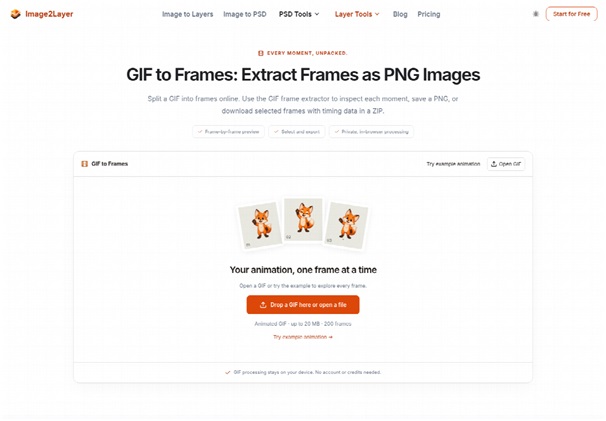
A normal conversion may drop the whole picture onto one layer and change the extension. That file opens, and nothing in it moves. Image2Layer generates a new raster layer stack so visible elements can be reviewed separately: background, subject, text regions, logos, and product areas. The image to psd result is a new file built from the flat picture. It is useful for editing, and it is not a recovery of the original Photoshop or Figma layers.
That distinction decides the meeting. If the task is “move the kit photo and keep a whole background,” a new stack can be enough. If the task is “change the headline in the brand font, with the same tracking the designer set,” the stack cannot do it, because those settings were never in the JPG. Ordering a conversion in the second case wastes the turnaround and still ends with someone retyping the line.
Headlines Stay Pixels Rather Than Live Type
Text-like regions may be isolated as raster layers. The conversion does not recover the original font, the live text object, or the typography settings. A headline arrives as a picture of letters. You can nudge that picture. You cannot restyle it, translate it, or correct a digit inside it without painting or setting the line again.
For a school-kit appeal that needs a new city or a new deadline, plan on resetting the words. Use the isolated text layer as a tracing reference for position and color, then set the real type on top and hide the picture of the old words. Teams that skip that reset publish a banner whose “editable” headline is still a bitmap, and the next city becomes another flatten.
What Eight Credits Per Layer Actually Buy
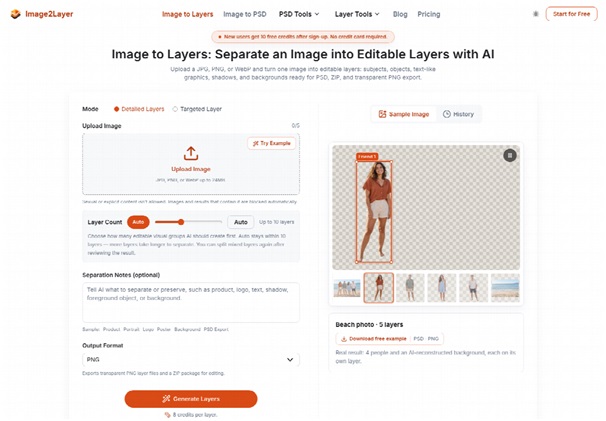
The price is per layer, not per file. The generate control and the pricing description both put the rate at 8 credits per layer. A one-layer extract costs 8 credits. A stack of five costs 40. The site’s beach sample is presented as five layers, four people and a reconstructed background, which is a 40-credit job at that rate, not a free preview you can repeat on your own banner.
New accounts start with 10 welcome credits and no card. Ten minus eight leaves two. The welcome grant covers a single layer and does not cover a second one. A campaign file that needs the subject, the shadow, and the ground is already three layers, 24 credits, more than twice the welcome balance. Budget the first real banner on a paid balance, and treat the welcome credits as a one-layer trial, not as the production run.
Welcome Credits Cover One Layer Only
The arithmetic is the check, not a slogan. Write the layer count you actually need before you upload. If the banner’s revision is “peel the background only,” one layer at 8 credits fits the welcome grant, with 2 credits left over. If the revision is “separate the kit photo, the children, the logo, and the ground,” count those groups and multiply by eight. Discovering the total after the button is how a queue slot gets spent on a stack nobody approved.
- Count only the groups this revision will move or hide.
- Multiply that count by 8 credits, and stop if the balance is short.
- After the run, read the price or the date in the downloaded file before anyone calls it approved.
One paid example is enough to see the monthly shape. Starter is listed at $9 a month for 400 credits, about 50 layers. Four hundred divided by eight is 50, so the “about 50 layers” line matches the per-layer rate rather than a separate discount. Heavier monthly plans are on the same page for teams that separate far more than that. You do not need every tier to decide this week’s banner. You need the layer count times eight, compared with the balance you already have.
The free plan uses a standard processing queue. Paid plans advertise priority generation and no free-queue delay. If a generation fails before a usable result, the terms say credits are normally not charged, or are returned. A failed job is not the same as a successful stack you later dislike. Disliking the edge still spent the credits. That is why the solo check happens before anyone treats the file as approved.
There is a second clock on the file itself. Results stay in the workspace for 30 days. Download the PSD and the PNG layers when the run succeeds. An appeal that gets revised in week six cannot assume the generated stack will still be sitting in the account.
The Public Export Size Versus Paid Cards
Two statements sit on the public site, and a production lead should not collapse them into one promise. The image-to-layers how-to says the layers come back near 0.4 megapixels, at the original aspect ratio. Paid plan cards say output up to 2K resolution, matching the original image size. Near 0.4 megapixels is a small frame. A 2K edge is a different file. The how-to text does not say the 2K line is automatic, and the paid card does not say the free how-to already delivers it.
The check is the file you download, not the card you read. Open the PSD and read the pixel size before it is placed in a layout that will run large on a hall screen or a print handout. If the stack is preview-sized, it can still guide a rebuild, and it should not be the master that gets enlarged until the type breaks. If a paid run does come back near the original size, keep that file and do not assume the next account will match it. The contradiction is a reason to measure the export, not a reason to invent a rule the pages do not state.
Background pixels have a similar honesty problem. The tool can estimate and rebuild areas hidden behind separated objects, and it says those pixels are generated estimates that should be reviewed before production. On a banner, that estimate is the patch behind a moved kit photo. If the patch invents a fold, a face, or a second logo, the layer is wrong even when the dimensions are right. Reject that ground and keep the original JPG’s background, or shoot a clean plate.
Tiny Type On A Regional Price Label
Small glyphs are where this conversion fails in a way finance and program staff will notice. The public limits name tiny text, heavy compression, and elements that share a color with the background as cases that separate less cleanly. A price, a date, or a city code set in a light weight on a photograph is exactly that case. The layer may exist, and the digits may still be unreadable, or they may be crisp and wrong.
Do not proof the price inside the preview thumbnail. Place the text layer at the size the appeal will actually use, and have a second person read the number aloud. If the digit is doubtful, set it again in the real typeface and hide the bitmap. That rework is cheaper than a published appeal with the wrong fee. The conversion did not create the small type. It also cannot be the proof that the small type survived.
Logos follow the same rule in a shorter form. A logo layer is pixels, not a vector master. It can be moved. It should not be enlarged to hero size if the edge is already soft. Keep the official logo file for anything that has to stay sharp, and use the extracted layer only as a stand-in while the rest of the stack is arranged.
Where This Export Still Needs A Reviewer
The export still needs a person because the new stack is not the old file, the rebuilt ground is an estimate, and tiny type can come back wrong. Open the PSD, read the price or the date at full size, and reject the file if those glyphs fail. Nothing in the run restores the original design structure.
Who Should Order The Raster Stack
Use it for a missing source file. Skip it when the headline must stay live type. Image2Layer fits a campaign team that has only the flattened appeal, a layer count it can pay for at 8 credits each, and a reviewer who will check the price before publication. It does not fit a team that still has the Figma or Photoshop file, because that file already holds the live type and the real layers.
Order the stack when moving a photo and keeping a background will save a reshoot this week. Wait for the designer when the words themselves have to change in the brand font. The JPG remains the approved picture either way. The PSD is a working copy with a known ceiling, and the ceiling should be in the brief before anyone spends the credits.