

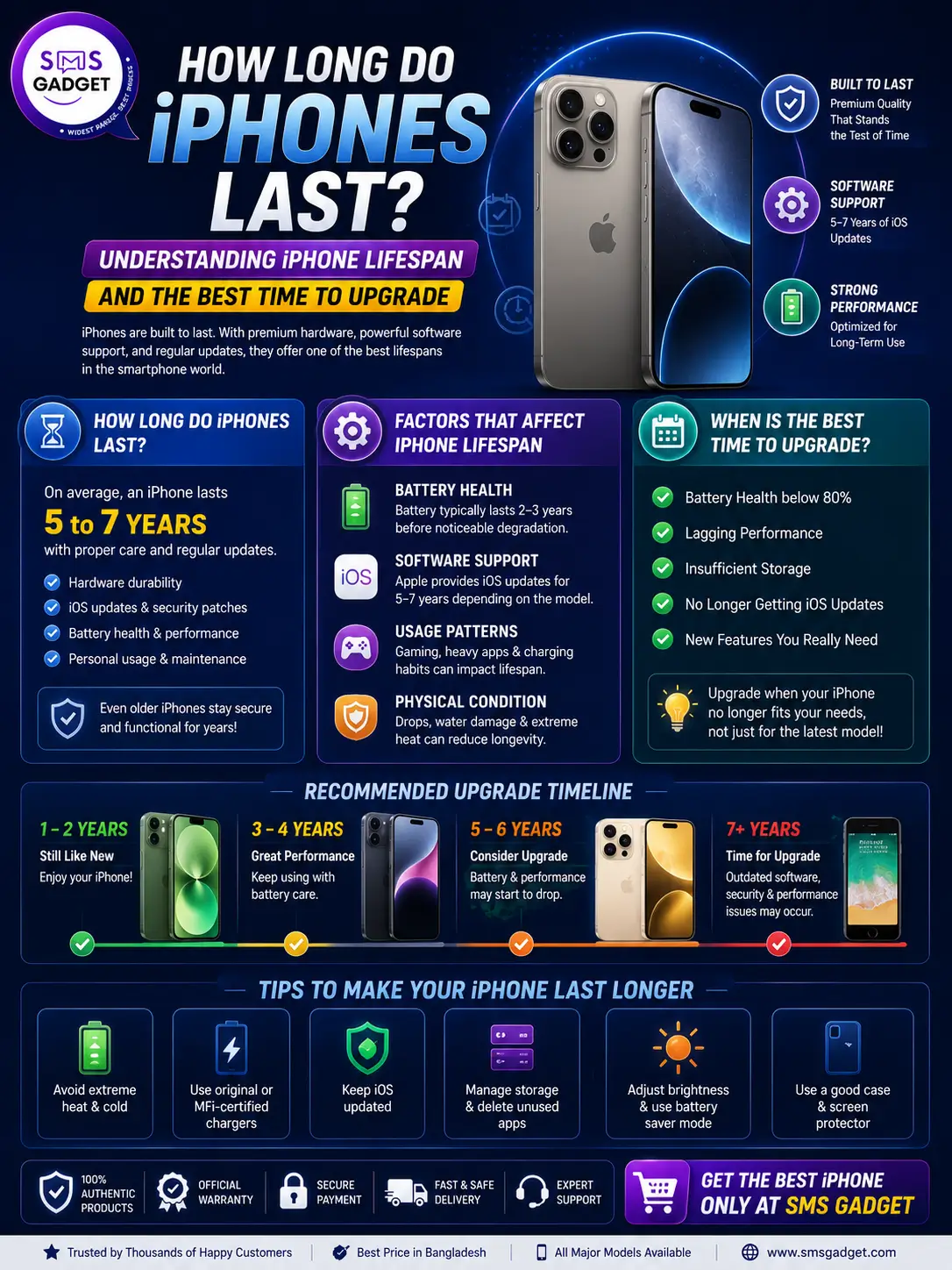



Normal usage can make the iPhone last 5 to 7 years. Since many users report the need to upgrade every 2 to 3 years because of decreasing performance and battery and because of missing features, the most important thing to know about the real lifespan of your iPhone is battery health, Apple’s commitment to update support, and your personal needs.
Here, we discuss the lifespan of different parts of iPhones, how to identify the signs that require an upgrade to your device, and the ideal time to purchase an upgrade.

How Long Do iPhones Actually Last?
If you search for this question, you’ll find very different numbers—some sites say 2-3 years, others say 4-7 years. Both are correct, just answering different questions:
| What You’re Measuring | Typical Lifespan |
| Before most people choose to upgrade | 2–3 years |
| Fully usable with good performance | 4–7 years |
| Software (iOS) updates from Apple | 6–8 years |
| Security updates only (after iOS updates stop) | 1–2 years beyond that |
| Physical hardware (with battery replacement) | 5–10 years, in many real-world cases |
In short: your iPhone will likely work for 5+ years, but you’ll probably want to upgrade well before that — and that’s a personal decision, not a forced one.
What Determines How Long an iPhone Lasts?
Battery Health
The battery is almost always the first part of an iPhone to show its age. Apple rates iPhone batteries to retain about 80% of their original capacity after roughly 500 full charge cycles, which typically takes 2 to 3 years of normal daily use to reach. Once capacity drops below 80%, you’ll likely notice:
- Faster battery drain throughout the day
- Unexpected shutdowns at low percentages
- The phone feeling slower (iOS slightly throttles performance to protect an aging battery)
The fix is often simple: a battery replacement (roughly $49–$100 depending on model) can make an older iPhone feel new again, often for a fraction of the cost of a new phone.
Software (iOS) Update Support
Apple supports iPhones with major iOS updates for 6 to 8 years from release and continues issuing critical security patches for some time after that. As of 2026, iOS 26 and iOS 27 support the iPhone 11 (2019) and every model released since, meaning a six-year-old iPhone is still getting full feature updates today.
Once your iPhone stops receiving the latest iOS version, it can still make calls, browse, and run most apps for a while — but you’ll gradually lose access to new features, and some apps (especially banking and rideshare apps) may eventually require a newer iOS version to keep working.
Apple Intelligence and AI Features
In 2026, there’s a new factor in the lifespan conversation: on-device AI. Only the iPhone 15 Pro, iPhone 15 Pro Max, and all iPhone 16 and 17 models support Apple’s advanced on-device AI features like next-generation Siri and writing tools. If staying current with Apple’s AI features matters to you, this narrows your “still feels modern” window to a newer subset of phones, even if your older iPhone is otherwise running fine.
Physical Wear and Tear
How you treat your phone matters more than people expect. A case and screen protector meaningfully extend a phone’s usable life by preventing cracked screens and accidental drops from forcing an early replacement. Water exposure, a damaged charging port, or cracked back glass are common reasons people replace an iPhone earlier than necessary.
Storage and Daily Usage
A phone with low storage that’s constantly full has to work harder, which can make it feel sluggish well before its time. If you record a lot of video, use heavy apps, or keep a large photo library, starting with more storage (or actively managing it) helps your phone stay snappy for longer.
How to Know It’s Upgrade Your iPhone?
There’s no need to wait for your phone to die completely. You should consider upgrading if:
- The battery health is below 80%, and even replacing the battery does not fix the performance issues
- Your iPhone doesn’t get the latest iOS updates, and the apps that you use most have started showing compatibility issues
- The performance is slow, no matter how many times you restart the phone and/or clear storage
- The camera, screen, and buttons are damaged, and getting all of them fixed costs as much as getting a new phone
- You need a feature that your current iPhone doesn’t support (5G, advanced low-light camera, etc.)
- Your current phone is slow at operating the apps that most people can run without issues on their newer iPhones
If none of these apply to you, there’s no hurry to rush—a working, well-maintained iPhone is still a working iPhone, no matter the year it was released. And if the above sign appears, then you can buy the Best iPhone shop in Bangladesh.
How to Make Your iPhone Last Longer?
A few simple habits can meaningfully extend your iPhone’s life:
- Keep your battery between 20% and 80% when possible, instead of constantly running it to 0% or charging to 100% overnight
- Enable Optimized Battery Charging (Settings → Battery → Battery Health) to reduce long-term battery wear
- Use a case and screen protector to prevent the most common (and expensive) types of accidental damage
- Keep iOS updated for security and performance, even if you’re not chasing every new feature
- Clean your charging port regularly to maintain reliable charging and prevent corrosion
- Replace the battery once its health drops below 80% instead of jumping straight to a new phone
When Is the Best Time to Get a New iPhone?
The smartest time to buy a new iPhone is right after a new model launches in September, when Apple sometimes drops prices on older models still in the lineup, and trade-in offers tend to be at their strongest. If you’re buying based on price, waiting a few weeks after a launch event — rather than right before one — usually gets you better value, since you’ll avoid paying full price for a model that’s about to be replaced.
That said, the real answer is simpler: the best time to upgrade is when your current iPhone no longer comfortably meets your needs — not simply because a new model exists. And if the above sign appears, then you can buy from the Best iPhone shop in Bangladesh. Apple releases a new iPhone every year, but that doesn’t mean every release is a must-buy for every user.
Frequently Asked Questions
How long does an iPhone last on average?
Most iPhones remain fully functional for 4 to 7 years with proper care. However, many users choose to upgrade earlier, typically around the 2- to 3-year mark, once battery health or performance starts to decline.
How long do iPhone batteries last?
iPhone batteries typically retain 80% of their original capacity after around 500 full charge cycles, which usually takes 2 to 3 years of normal daily use. A battery replacement at that point can significantly extend the phone’s usable life.
How many years of software updates does an iPhone get?
Apple typically provides major iOS updates for 6 to 8 years from a model’s release, followed by additional years of critical security-only updates.
Should I replace my iPhone’s battery or buy a new phone?
If your iPhone is otherwise working well and only the battery has degraded, a battery replacement (roughly $49–$100) is almost always the more cost-effective choice compared to buying a new phone.
What is the best time of year to buy a new iPhone?
The best value is usually right after Apple’s September launch event, when older models may see iPhone price drops and trade-in offers are typically at their best.
Final Thoughts
Most iPhones are built to comfortably last 4 to 7 years with reasonable care, even though many people choose to upgrade sooner for newer features rather than necessity. Pay attention to your battery health, keep an eye on your iOS update eligibility, and don’t feel pressured to upgrade just because a new model launched—your iPhone is worth using for as long as it serves you well.
When you do decide it’s time for something new, buy a phone from a trusted local seller for genuine, warranty-backed iPhones at competitive prices in Bangladesh. Choose your trusted shop if they are offering authentic devices, EMI plans, and physical showrooms where you can check the phone in person before buying it.


