

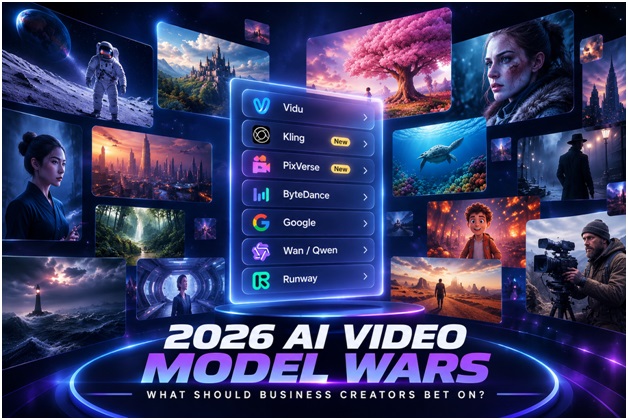



The AI video market has changed rapidly throughout 2026. Models such as PixVerse V6, Kling 3.0 Omni, Seedance 2.5, and Wan 3.0 are expanding what a single generation can accomplish, while platforms like Runway and Grok Imagine are competing on creative flexibility, accessibility, and pricing. Meanwhile, creative platforms like Face AI are bringing multiple AI capabilities together, giving businesses more ways to turn individual model outputs into versatile visual content. Each model has different strengths, making the choice increasingly dependent on the intended application rather than a single overall ranking.
For businesses, the most effective strategy is not necessarily to commit to the highest-ranked model. It is to identify the models that fit their content requirements and build a production workflow that can adapt as the technology evolves.

What PixVerse, Kling, Seedance, and Others Offer for Video Creation
The leading AI video models are developing along different paths. Some prioritize camera control and visual consistency, others focus on motion, longer storytelling, native audio, or production flexibility. Understanding these differences helps businesses select tools based on actual creative requirements.
PixVerse V6 Delivers Leaderboard-Topping Quality at a Low Price
PixVerse V6 focuses on camera movement, character performance, and multi-shot audiovisual generation. Its improved camera control makes it useful for promotional videos, product teasers, and branded content that require specific framing and visual direction.
Kling 3.0 Omni Handles Motion and Multi-Character Scenes
Kling 3.0 Omni, developed by Kuaishou, supports videos of up to 15 seconds with native audio-visual generation and improved character consistency. Its motion capabilities make it a strong option for dynamic product demonstrations, choreography, and scenes involving multiple characters.
Seedance Generates Complete 30-Second Short-Form Videos
Seedance 2.5, developed by ByteDance, supports video generation of up to 30 seconds with native audio-video capabilities. Its longer generation time gives creators more room for storytelling, making it suitable for social media campaigns and narrative-driven promotional content.
Vidu Q3 Captures Emotion and Facial Expression
Vidu Q3, from Shengshu Technology, emphasizes facial expressions, character performance, and synchronized audio-video generation. Its specialized variants for advertising and drama make it useful for character-driven brand storytelling and short promotional videos.
Wan Offers an Open-Model Path for Organizations That Need Control
Alibaba’s Wan 3.0 supports video generation of up to 30 seconds, multimodal reference inputs, and resolutions of up to 1080p. Its flexible reference capabilities and open-model approach make it worth considering for businesses exploring customized workflows and large-scale content production.
Runway Gen-4.5 Gives Filmmakers Real Direction Control
Runway Gen-4.5 focuses on motion quality, prompt adherence, and precise creative direction, with individual clips ranging from 2 to 10 seconds. Its ability to follow detailed camera and scene instructions makes it suitable for professional video production and directed visual storytelling.
Grok Imagine Competes Hard on Price and Speed
Grok Imagine Video 1.5, developed by xAI, supports text, image, and audio inputs through its API. With usage-based pricing starting at $0.08 per second for 480p output, it offers an option for developers and businesses producing video content at scale.
Comparing the Leading AI Video Models for Business Use
| AI Video Model | Main Strength | Potential Business Application |
| PixVerse V6 | Camera control and multi-shot generation | Promotional videos and branded content |
| Kling 3.0 Omni | Motion, native audio, and character consistency | Dynamic product demonstrations and character scenes |
| Seedance 2.5 | 30-second generation and storytelling | Social media campaigns and short-form narratives |
| Vidu Q3 | Expressive characters and specialized variants | Advertising and brand storytelling |
| Wan 3.0 | Multimodal references and 30-second generation | Large-scale content production and custom workflows |
| Runway Gen-4.5 | Creative direction and prompt adherence | Professional video production |
| Grok Imagine Video 1.5 | API integration and usage-based pricing | Automated and high-volume video generation |
Why AI Video Models Still Need Editing to Produce Complete Videos
Individual models still have limitations when generating longer, consistent sequences. Common issues include:
- Temporal inconsistencies: Objects, backgrounds, or character details may change unexpectedly between frames.
- Character continuity: Facial features, clothing, and proportions may drift across different shots.
- Text rendering errors: Product names, captions, and other on-screen text may contain visual distortions.
- Brand consistency: Logos, colors, packaging, and other visual identity elements may not remain accurate throughout a sequence.
- Audio synchronization: Dialogue, background music, and visual actions may require additional adjustment.
A practical AI video production workflow therefore involves several stages. First, the creative direction and storyboard establish the message. Next, AI models generate individual shots or longer sequences. Editing tools then bring the footage together, add voiceovers and music, refine transitions, and maintain visual consistency.
AI generation can significantly reduce the time required to produce raw footage, but human review and post-production remain essential for turning that footage into publishable content.
How AI Video Platforms Like Face AI Simplify Access to Multiple Creative Tools
Creating business videos often involves more than video generation. Teams also need product images, character assets, talking avatars, and other visual materials for different marketing campaigns. Managing these tasks across separate tools can make content production less efficient.
Platforms like Face AI’s AI video generator bring together AI image generation, video creation, character design, avatars, and face swap tools in one creative workspace. This allows creators to produce and transform different types of visual assets without switching between multiple specialized platforms.
For example, marketing teams can generate product visuals, turn images into short videos with an AI image-to-video generator, or create talking avatars for promotional content. By combining these capabilities in one platform, Face AI helps simplify visual content creation across different marketing formats.
Why Human Review and Creative Decisions Still Matter in AI Video Production
AI video tools can accelerate content production, but human judgment remains essential. Generated videos still need to be reviewed for visual accuracy, brand consistency, factual claims, and suitability for their intended audience.
Businesses should also ensure that source images, voices, and other identifiable materials are used with appropriate permissions. AI-generated content should not mislead audiences or make unsupported product claims.
Ultimately, AI is a production tool, not a replacement for creative direction. Human teams remain responsible for selecting the right footage, refining the final result, and ensuring that published videos meet business and quality standards.
Frequently Asked Questions
What Is the Best AI Video Model in 2026?
There is no single best model for every task. PixVerse V6 excels at camera control, Kling 3.0 Omni at motion, Seedance 2.5 at longer videos, Vidu Q3 at character expression, Wan 3.0 at flexibility, Runway Gen-4.5 at creative control, and Grok Imagine at accessible API pricing.
Can Businesses Use AI-Generated Videos Commercially?
Commercial usage rights vary by provider and subscription plan. Businesses should check licensing terms and ensure that all source materials have appropriate permissions before publishing.
Do I Need Video Editing Skills to Use AI Video Tools?
Basic editing skills are helpful for combining clips, adding audio, and maintaining brand consistency. Single clips can be generated directly, but complete videos often require additional editing.
How Much Does AI Video Generation Cost?
Pricing depends on the model, resolution, and platform. Some providers charge per second, while others use subscriptions or credits. Businesses should compare the cost of usable output rather than individual generations.
How Long Can AI Video Models Generate in One Pass?
Generation length varies by model. Runway Gen-4.5 supports up to 10 seconds, Kling 3.0 up to 15 seconds, while Seedance 2.5 and Wan 3.0 support up to 30 seconds.
Conclusion
The 2026 AI video model race is no longer just about visual quality. Generation length, creative control, pricing, and workflow flexibility are becoming equally important for businesses.
Rather than relying on a single model, business creators should combine specialized AI tools with creative platforms to produce high-quality content efficiently. The real advantage comes from choosing the right tools for each task and building a workflow that can adapt as the technology evolves.