
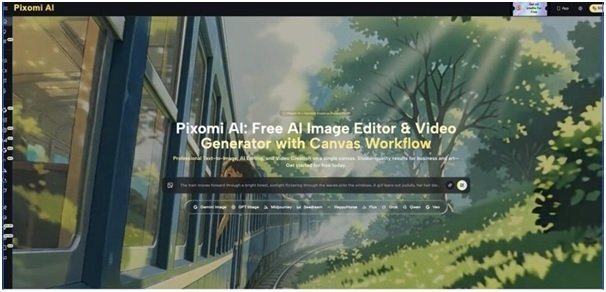


Every revision request from a client or brand manager sends a social media operator back to the drawing board — new background, different mood, another color palette, all before the post deadline. These endless feedback loops eat up hours that should go toward scheduling and engagement strategy instead of re-briefing a designer. Banana Pro AI inside Pixomi AI’s AI Image Generation feature is built to shorten that loop, letting social teams generate and adjust visuals themselves using an AI Image Generator that produces new artwork or transforms existing photos in seconds. Instead of waiting on a design queue for every tweak, operators can test styles, backgrounds, and compositions directly and move straight to publishing.
What Is AI Image Generation?
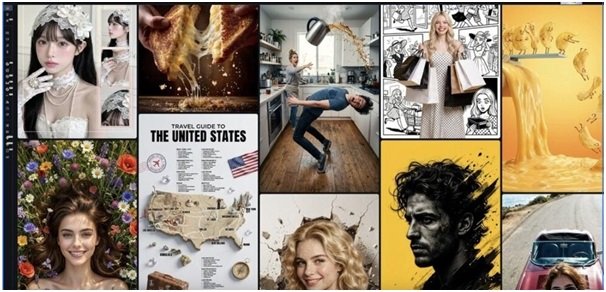
AI Image Generation is Pixomi AI’s core creation tool, letting users produce visuals either from a text prompt or by transforming an existing photo through Image to Image mode. It sits at the center of the platform, feeding directly into the broader Pixomi AI workspace that also covers video and editing tools. For social media operators, this means one interface can cover brand-new graphics, refreshed product shots, and platform-specific variations without switching tools.
Traditional Challenges of AI Image Generation
Producing daily social visuals manually creates recurring friction for lean marketing teams:
- Waiting on designers for every new graphic or revision
- Paying for stock photos or licensed imagery that never quite fits the brand
- Struggling to keep a consistent visual style across platforms like Instagram, TikTok, and Pinterest
- Losing days to back-and-forth feedback before a client approves final creative
- Running out of fresh visual ideas during high-volume posting periods
These pressures push social teams toward AI tools because they collapse the distance between an idea and a usable image. Rather than briefing a designer and waiting for a draft, operators can generate several directions themselves and pick what fits, cutting the review cycle down significantly.
How Pixomi AI Handles AI Image Generation
Banana Pro: Premium Model for 4K Visuals
Banana Pro is the flagship model within the feature, built for high-fidelity, 4K-resolution output with strong prompt comprehension and a wide range of artistic styles. It matters most when a visual needs to look polished enough for a hero campaign image or a client-facing deliverable, not just a quick filler post.
Z-Image Turbo: Speed-Optimized Generation
For high-volume posting schedules, Z-Image Turbo generates results in roughly three to five seconds, making it suited to rapid content batches and quick creative iteration. This matters for social teams that need several variations of the same concept for A/B testing headlines, formats, or platforms without waiting minutes per image.
Flux Kontext: Context-Aware Composition
Flux Kontext focuses on scene coherence and context awareness, handling more complex, multi-element prompts while keeping Image to Image transformations faithful to the original context. This suits campaigns where a product or subject needs to sit naturally inside a new background or setting rather than looking pasted in.
Output & Usage – Ready for Real Content
Generated images download as high-quality PNG files, in square, portrait, landscape, or custom aspect ratios, at resolutions up to 4K, with no watermarks on any output. Free accounts include commercial usage rights, covering marketing materials, social posts, ads, and client work, so operators can move a finished image straight into a campaign or feed without a separate licensing step.
How to Use It
Step 1 – Prepare Input
Before opening the tool, have a clear text prompt ready, or a source photo if working in Image to Image mode. A specific prompt describing subject, setting, mood, and style — rather than a vague idea — gives the AI model enough detail to produce a usable first result.
Step 2 – Configure Settings
Inside the workspace, select the AI model that fits the task, choose an aspect ratio suited to the target platform, and adjust style intensity before generating. Teams working with Banana Pro AI can switch between models like Banana Pro or Z-Image Turbo depending on whether the priority is polish or speed, with smart suggestions helping refine settings along the way.
Step 3 – Generate & Export
Clicking generate produces results in roughly five to ten seconds for standard prompts, with faster or slower times depending on model and complexity. Operators can preview the output, regenerate with small prompt tweaks if needed, then download the final image without a watermark and reuse it across posts, ads, or client decks under the platform’s commercial terms.
Use Cases for Social Media Operators
- Daily Content Batching — A social media manager generates multiple graphic variations from one prompt using Z-Image Turbo, keeping a posting calendar full without daily design requests.
- Platform-Specific Resizing — An operator running several channels reuses one concept across square, portrait, and landscape formats for Instagram, TikTok, and Pinterest from a single generation session.
- Client Campaign Mockups — An agency social lead uses Banana Pro for polished 4K visuals to pitch campaign directions to clients before committing to a final creative brief.
- Product Post Refresh — An e-commerce social handler applies Image to Image mode to turn plain product photos into styled lifestyle shots for feed posts, skipping a separate photoshoot.
FAQ
How does the generation workflow actually work?
Users either type a text prompt for a fresh image or upload a photo for Image to Image transformation, then choose a model and settings before generating. The system returns a preview within seconds, and users can regenerate with adjusted prompts until the result fits, then download it directly.
Can generated images be used commercially?
Yes, free accounts include commercial usage rights covering marketing, advertising, social content, and client projects, and downloads come without watermarks. Pixomi AI positions this as full ownership over generated visuals rather than a restricted license, though users should still confirm terms for specific edge cases like resale of the raw AI output itself.
How many models or styles are available for this feature?
The feature currently offers five models — Banana Pro, Z-Image Turbo, Flux Kontext, GPT-4o Vision, and Qwen Image Edit — each suited to different needs from 4K quality to speed to technical precision. All five are accessible on the free tier, so social operators can switch based on whether a post needs polish, volume, or fine detail.
Conclusion
Within the broader landscape of AI image tools, this feature gives social media operators a practical way to close the gap between a creative idea and a publish-ready graphic, without leaning on external designers for every variation or revision. It won’t replace strategic creative direction, but it removes much of the production bottleneck that slows down daily content output.
For teams tired of long feedback loops on simple visual requests, testing the feature directly on a real campaign brief is the fastest way to see if it fits into an existing workflow.