

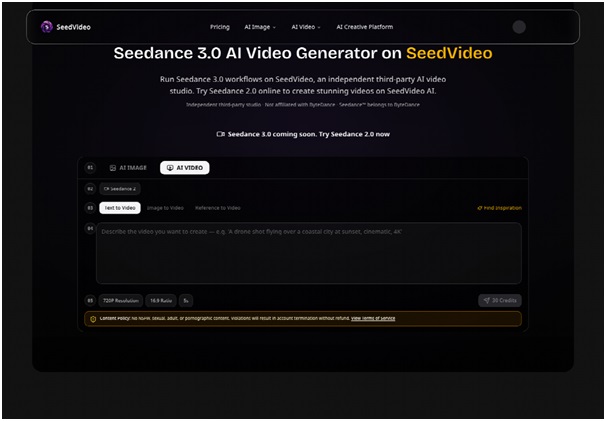



Small businesses do not usually run out of ideas for video. They run out of clean handoffs. A founder sends a product photo in a chat, a marketer writes a prompt from memory, and an editor discovers too late that the requested format does not fit the campaign. The resulting clip may be attractive, yet the team still has to rebuild the brief. A repeatable intake process matters more than another burst of visual novelty. That is where Seedance 3.0 can fit: as a shared place to turn a brief into a reviewable visual test.
The process begins before anyone presses generate. Decide what must remain fixed, what can change, and where the video will appear. A product launch, a vertical social post, and a website hero may use the same idea but need different framing and pacing. If those decisions are postponed, the team pays for them through cropping, reshoots, and arguments about which version was actually approved.

Turn the Brief Into Inputs, Not Adjectives
A useful brief names an object, an action, a setting, a camera move, and an audience-facing purpose. “Make it premium” leaves too much open. “Show the reusable bottle on a kitchen counter as morning light moves across the label; leave clean space on the right for a headline” gives the generator and the reviewer a shared target. The final clause is especially important because it connects visual direction to the page where the asset will live.
Pick the input that carries the risk
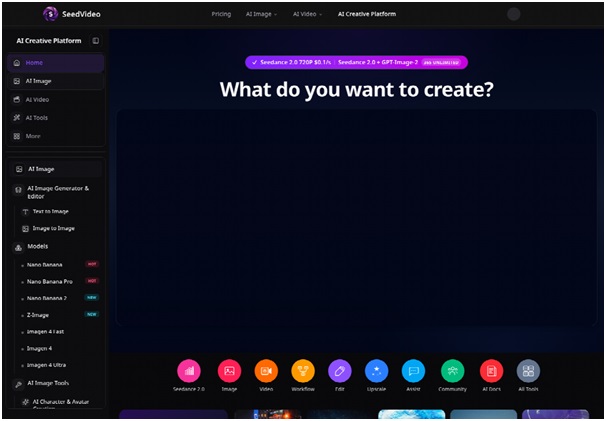
If the product shape is the risk, begin with an image reference. If the movement is the risk, an existing video may carry more useful information than another paragraph of prose. If the team is still exploring the campaign idea, text-to-video keeps the first test flexible. SeedVideo supports text-to-video, image-to-video, and video-to-video paths, so the team can choose the input according to the failure it most needs to prevent.
This choice prevents a common small-team mistake: asking one prompt to solve concept, branding, motion, composition, and delivery format simultaneously. The output then becomes hard to diagnose. When the team changes one input at a time, a weak result teaches it something instead of simply creating another file to debate.
Use one action per short scene
For a first pass, keep the scene narrow. A product can rotate, a hand can pick it up, or a camera can move from a wide view to a detail. Combining all three may look efficient in the brief, but it makes the output difficult to approve. A short scene with one principal action is easier to compare, crop, and replace without disturbing the rest of the campaign.
Make Format A Decision Gate Before Rendering
Format should be selected before the generation test, not after a favorite clip has already been made. A vertical mobile placement needs a subject that survives a narrow frame. A landscape website banner can use negative space differently. A square feed asset may need a tighter center. The same source can support each version, but the team should know which version is being judged.
- Name the destination and aspect ratio.
- Reserve the safe area for copy or a call to action.
- Review the selected clip at delivery size before requesting a final render.
Keep a small intake card beside the project: destination, aspect ratio, duration target, safe area for text, and the product detail that cannot change. This practical record stops a late crop from becoming a creative decision by accident. A clip that is excellent in 16:9 may place its most important action outside a vertical crop.
Review the asset at delivery size
Inspect the generated video on the screen where the customer will see it. At a smaller mobile size, tiny label text may become unreadable and a subtle hand deformation may disappear—or become more distracting because it looks like a flicker. At a wide desktop size, the empty space may feel intentional or simply unfinished. Reviewers should write down the visible consequence, not only whether they like the style.
For a modest test, a five-second 720p 16:9 Seedance example is listed at 30 credits on SeedVideo. That kind of bounded render is useful for checking composition before a team requests a longer or more demanding asset. It also gives the person approving the work a concrete question: has the short test cleared the risk, or are we paying to make the same uncertainty larger?
Build a Handoff That Survives a Busy Week
When several people touch one asset, the file name is part of the workflow. Record the campaign, scene, input type, format, and revision state. Keep the original brief and source image beside the generated candidate. Add one sentence for the approval decision, such as “Approved for concept review; product label still needs human checking.” This prevents a draft from being mistaken for a final advertisement when it is copied into another folder.
Separate creative approval from factual approval
A manager may approve the pacing and mood while a product owner still needs to verify the packaging, price, or claim. Those are different approvals. A video can pass the creative review and fail the factual one. Small teams save time when both states are visible instead of compressing them into a single green check.
The same separation applies to synthetic media. If a scene illustrates a lifestyle rather than records a real customer, label it appropriately in the campaign workflow. A polished generated image should not quietly become a testimonial or a news-like claim. Human review is not an optional polish step when the asset contains a face, a logo, or a promise about a product.
When I placed the first preview into a phone-sized frame, the product label became unreadable and the bottle warped near the final second. The team could then reject that candidate for a visible reason instead of spending another render on vague “premium” wording.
Keep A Small Failure Ledger For Reuse
Write down the failures that affect reuse: the bottle widens during the turn, the camera cuts before the hand finishes, the headline area becomes busy, or the motion points away from the call to action. A failure ledger is more valuable than a folder full of unexplained versions because it changes the next brief. It also stops the team from rewriting prompts around a defect that is really an input problem.
Use The Platform Without Overpromising Results
SeedVideo is an independent third-party studio that provides access to creative models and workflows. That makes it useful as an operational layer, but it does not remove the need to check model availability, account conditions, input rights, and the final export. A team should not promise a client that every generated result will preserve a logo, a person, or a precise piece of text merely because the interface accepts a reference.
It is also wise to distinguish a test render from a publishable deliverable. The first answers whether the idea and framing work. The next may require editing, captions, voiceover, color treatment, or a new crop. Naming those stages keeps the budget honest and gives the client a better explanation than “the AI made a mistake.”
Keep Claims And Rights In Human Hands
A campaign owner still has to check product claims, usage rights, faces, logos, and any implication that a generated scene is documentary footage. The platform can accelerate a draft, but approval belongs to the team that will publish it.
Let the Workflow Earn the Next Render
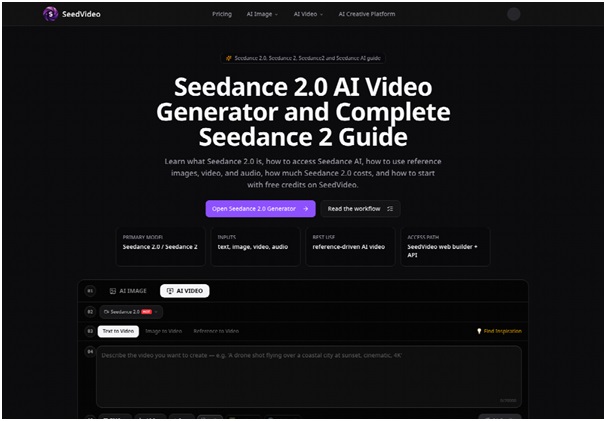
Small teams do not need a grand production department to use AI video responsibly. They need a brief that names the risk, an input that carries the right evidence, a format decision made early, and a review note that survives handoff. Those four habits turn generation from a lottery into a sequence of decisions.
For that reason, Seedance 3 should be evaluated by what it lets a team verify before scaling up. If the short test protects the product, fits the destination, and gives the editor a usable action, the next render has earned its place. If it does not, the team has learned where to revise the brief—before a busy week turns an attractive draft into expensive rework.
SeedVideo remains the access layer, while the business owner keeps responsibility for claims, rights, and the final approval. That division is what makes a repeatable process safe enough to reuse.


