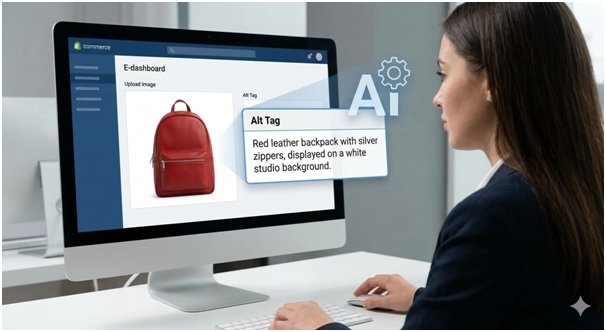


Running an e-commerce store involves juggling countless tasks, but few are as tedious and time-consuming as writing alt tags for thousands of product images. This crucial SEO step is often rushed or skipped entirely, leaving a huge opportunity for traffic on the table. What if you could automate this entire process accurately and efficiently?
Using AI to generate alt tags is the hidden hack savvy store owners are using to boost their SEO and improve accessibility. An advanced image to text generator can analyze a product photo and instantly create a descriptive, keyword-rich alt tag. This frees up your team to focus on sales and marketing while ensuring every single image on your site is optimized for search engines.
Real-World Scenarios for AI Alt Tag Automation
Automating alt tags isn’t just a theoretical advantage; it has practical applications that solve real problems for e-commerce businesses of all sizes. From massive catalog launches to daily inventory updates, AI offers a scalable and efficient solution.
Use Case 1: The Large-Scale Product Catalog Launch
Imagine a new online furniture store preparing to launch with over 5,000 products. Each product has at least three high-resolution images, totaling 15,000 photos that need unique, descriptive alt tags. Manually writing them would take a dedicated team weeks, delaying the launch and incurring significant costs. This is a perfect scenario for automation.
By integrating an AI tool, the store can process its entire image library in a matter of hours. The AI analyzes each photo and generates relevant descriptions. For example, an image of a sofa becomes “Modern gray sectional sofa with chaise lounge and wooden legs.” This process ensures the store launches with a solid SEO foundation, making its products discoverable in Google Images from day one. It transforms a logistical nightmare into a simple, automated task.
Use Case 2: Daily Updates for a Fast-Fashion Retailer
A fast-fashion brand thrives on speed, adding dozens of new styles to its website every single day. The marketing team is already focused on social media campaigns and influencer collaborations. They don’t have time to manually write alt tags for every new skirt, dress, and accessory. The result is often missing or generic alt tags like “IMG_1234.jpg,” which offer zero SEO value.
Here, an automated workflow using AI to extract text from images is essential. As soon as a photographer uploads new product shots to the content management system (CMS), an API call sends the images to the AI for analysis. The generated description is then automatically populated into the alt tag field. This ensures that even products with a short shelf life are fully optimized for search, capturing traffic from shoppers looking for the latest trends.
Use Case 3: Optimizing an Existing Marketplace for Accessibility
An established online marketplace with millions of listings from various sellers wants to improve its accessibility and SEO performance. Many of its older images have missing, inaccurate, or poorly written alt tags. This not only hurts their search rankings but also fails to comply with web accessibility standards like the WCAG, creating a poor experience for users with visual impairments.
A bulk processing project using an image-to-text AI is the ideal solution. The marketplace can run a script to identify all images with inadequate alt tags and send them to the AI for new descriptions. This systematically improves the accessibility of the entire platform, enhances user experience, and provides a significant SEO boost by optimizing a vast back-catalog of existing content. It’s a powerful way to add value to old listings and improve the site’s overall authority.
Benefits of AI-Powered Alt Tag Generation
Each scenario highlights unique advantages, but the core benefits of using AI for alt tags remain consistent: massive time savings, improved SEO, and better accessibility.
| Benefit | Impact on Catalog Launch | Impact on Fast-Fashion | Impact on Marketplace |
| — | — | — | — |
| Time Savings | Reduces weeks of manual work to just a few hours, enabling a faster launch. | Eliminates a daily manual task, freeing up the marketing team for creative work. | Automates the optimization of millions of images, a task impossible to do manually. |
| SEO Improvement | Builds a strong SEO foundation from day one, leading to quicker organic traffic growth. | Captures search traffic for trending items immediately upon release. | Revitalizes old listings and boosts overall domain authority with optimized content. |
| Consistency | Ensures all alt tags follow a consistent, high-quality descriptive format. | Maintains brand voice and descriptive quality across all new product drops. | Standardizes alt tag quality across listings from thousands of different sellers. |
| Accessibility | Makes the entire product catalog accessible to users with visual impairments from the start. | Ensures every new product is compliant with accessibility standards. | Drastically improves the site’s overall WCAG compliance and user experience. |
A Practical Workflow for Implementation
Setting up an automated alt tag generator is more straightforward than you might think. It typically involves connecting an AI service to your e-commerce platform through an API.
Step 1: Choose Your AI Tool
Select an image-to-text AI service that offers a robust API. Look for one known for its accuracy in object recognition and its ability to provide detailed descriptions relevant to e-commerce products.
Step 2: Integrate with Your E-commerce Platform
Connect the AI tool to your CMS, whether it’s Shopify, WooCommerce, Magento, or a custom solution. This is usually done by a developer who can use the API to create a bridge between your image uploads and the AI service. Some platforms may even have existing plugins or apps that simplify this process.
Step 3: Establish Automation Rules
Define the trigger for the automation. The most common rule is: “When a new product image is uploaded to the media library, send it to the AI for analysis.” You can also set up rules for bulk processing existing images that lack proper alt tags.
Step 4: Format and Refine the Output
The raw output from the AI will be descriptive, but you may want to refine it. You can set up a simple script to add your brand name or other important keywords to the generated text. For example, if the AI returns “black leather ankle boots,” your system can automatically amend it to “BrandName Black Leather Ankle Boots for Women.”
Step 5: Monitor and Review
While the AI is highly accurate, it’s good practice to periodically spot-check the results. Review a small sample of new alt tags each week to ensure they align with your brand’s standards. You should also monitor your analytics to track the impact on image search traffic and overall organic performance.
Conclusion
Manually writing alt tags for a large e-commerce site is no longer a viable strategy. It’s slow, expensive, and prone to human error. AI-powered image-to-text automation offers a powerful, modern solution that saves countless hours, significantly boosts your SEO, and improves your site’s accessibility.
By implementing an automated workflow, you can ensure every product image is perfectly optimized without lifting a finger. This allows you to focus on growing your business while the AI handles one of the most critical but tedious aspects of e-commerce SEO. If you’re ready to reclaim your time and unlock new streams of organic traffic, it’s time to explore AI for your alt tag strategy.