


Every CSR programme in India produces a quiet archive. Site visits, school handovers, health camps, tree-planting drives, women’s self-help group meetings: each one ends with a folder of photos on someone’s laptop.
Those photos usually travel to two places. A slide in the annual CSR report, and one social post that gets modest reach. Meanwhile, the people who need to understand the work, from board members to employees to the communities themselves, increasingly consume updates as short video.
Most implementing NGOs and mid-sized CSR teams don’t have a film budget for every project. The good news is that the raw material for short video often already exists in those folders.
Why short video matters for CSR communication
Since Section 135 of the Companies Act made CSR spending mandatory for qualifying companies, reporting has become more structured. Numbers, however, don’t always carry meaning on their own. “1,200 students reached” is accurate; a six-second clip of a classroom with new benches makes the same point in a way people remember.
Short video helps across several audiences:
- Boards and leadership: quick visual proof alongside the CSR committee report
- Employees: volunteering campaigns and internal newsletters
- Implementing partners: shared credit and visibility for the NGO doing the groundwork
- Public channels: LinkedIn, Instagram and WhatsApp updates that people actually open
Ethics come first: a consent checklist
Before any photo is edited, animated or reshared, CSR teams should be stricter than a typical brand team. Beneficiaries are often children, women in vulnerable situations or people in rural communities who may not have agreed to wide distribution.
A simple pre-production checklist:
- Informed consent on file for every identifiable person, in a language they understand. For minors, consent from a parent or guardian.
- Purpose match: was the photo taken for documentation only, or also for public communication?
- Dignity check: avoid images that show people only as recipients of help. Prefer moments of participation, skill and agency.
- Clear labelling: if a clip is AI-animated from a still photo, say so in the caption or credits.
- No invented outcomes: animation can add motion, not results. Never use it to imply something that didn’t happen on site.
If a photo fails any of these, leave it out, however good it looks.
From archive to short clip: a practical workflow
A workflow that a two-person communications team can run in an afternoon:
Step 1: Shortlist. Pick 8–10 photos from one project. Look for a clear subject, decent light and natural movement implied in the scene: water flowing from a new handpump, a teacher mid-gesture, leaves on a sapling.
Step 2: Prepare. Use the original files, not WhatsApp-compressed copies. Crop so the main subject fills a good part of the frame.
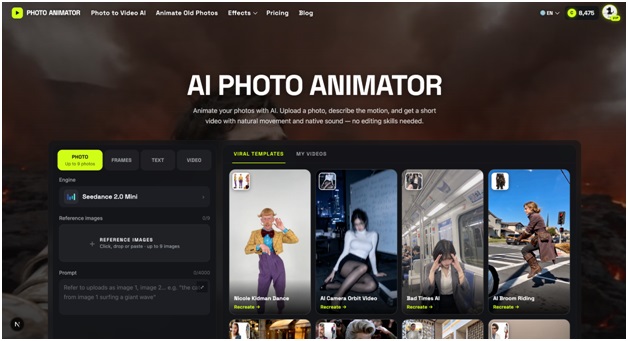
Step 3: Animate. Image-to-video AI models now make this step quick. Teams can upload a still to a browser-based AI photo animator such as AI Photo Animator, a photo-to-video tool that turns a single image into a few seconds of natural motion with sound, without editing software or a production crew. Keep prompts modest: “gentle breeze, children turning pages, slow camera push-in” works better than dramatic action.
Step 4: Assemble. Combine three or four clips with simple text cards: project name, location, one verified metric and the implementing partner’s name.
Step 5: Review. Have someone from the field team, ideally a person who was present, confirm that the clip represents the site accurately.
Where these clips fit in your reporting cycle
| Moment | Format | Length |
| Project launch | Single animated photo with a caption | 5–8 sec |
| Mid-term update to the CSR committee | 3–4 clips with metric cards | 30–45 sec |
| Annual CSR report (digital version) | Embedded clip per flagship programme | 20–30 sec |
| Employee volunteering drive | Before/after style clip from a past event | 10–15 sec |
| Partner NGO recognition | Clip crediting the NGO team | 15–20 sec |
A short, honest clip at each stage usually does more than one long film at the end of the year.
What this approach can and can’t replace
AI animation is useful for extending the life of photos you already have. It doesn’t replace:
- Documentary footage for impact assessments or third-party evaluations
- First-person testimonials, which should always be real recordings with consent
- Field verification of the outcomes being reported
Think of animated photos as a communication layer on top of solid documentation, not a substitute for it.
A question worth asking at your next CSR review
Look at the last three projects your team closed. How many usable photos are sitting unused, and who outside the CSR team has actually seen them? If the answer is “most of them” and “almost no one”, a consent-checked folder and a free afternoon may be enough to change that.