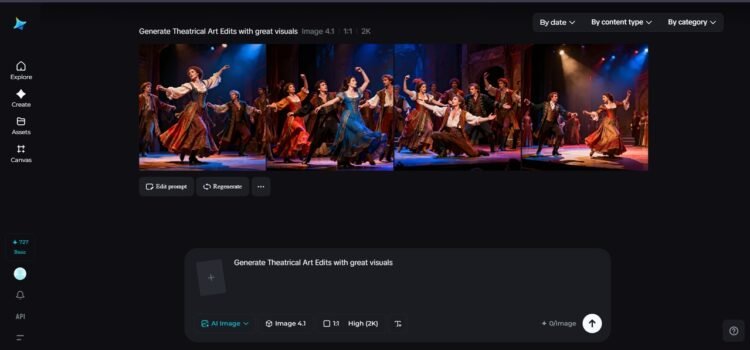


Theater has always been the art of illusion. One spotlight, one painted backdrop, one gallant stance, and a blank stage turn instantly into a palace, a battlefield, or a romantic story. Today, the same thing is happening in the screen medium, where posters for plays, books, and ideas for film productions establish the whole tack before the first word has even been spoken.
With Dreamina and a state-of-the-art AI image editor, you do not have to hire a whole design team to achieve the same effect.
Theatrical art edits get interesting
Rather than just using the plain background and picture you could find, you could add as much depth as you want to the image until it comes to life before your eyes. A poster can suggest tragedy, romance, mystery, victory, and more just with the placement of the items used. Dreamina uses this philosophy to help you create your own vision from your imagination.
A poster design for a stage play, the cover of a drama-filled novel, or the promotion of a movie — regardless of the design, the aim is always the same: to stop someone and make them feel something. When that occurs, the design is performing the way it is meant to.

Why layered theatrical art feels more cinematic
What makes layered art in posters so compelling is quite simple. The truth about the world is that it’s layered. Light passes through the space, characters are in the foreground, the background, shadows, textures—and when you mimic this in your poster, the difference between a non-layered graphic image and a moment in space happens.
In stage posters, this stratification will typically include:
- A principal character or focal figure who bears the emotion
- A background environment that is suggestive of the story environment
- Lighting or color overlays that convey mood
- Details like fog, dust, and fabric that add realism
With Dreamina, you’re not simply laying these elements down on canvas. You’re creating them with purpose and then honing them with an understanding of the whole image as well as other tools.
The inpainting effect with dramatic details
The Inpaint function is where the theatrical edits get really interesting. It allows you to modify or enhance just part of an image without altering anything else in the scene. For instance, it lets you correct a character’s facial expression, add background lighting, or remove a distracting object without altering anything else.
This type of control is what allows you to cross the line from a quick concept sketch to concept poster quality. You can define the atmosphere in subtle ways, like darkening the sky for a tragic shot or warming up the lighting for a romantic atmosphere. With a few attempts, it will gradually become just as you had envisioned it.
In fact, some artists also use this process, followed by a photo enhancer down the line to enhance clarity, as this process might be followed by another process requiring high resolution.
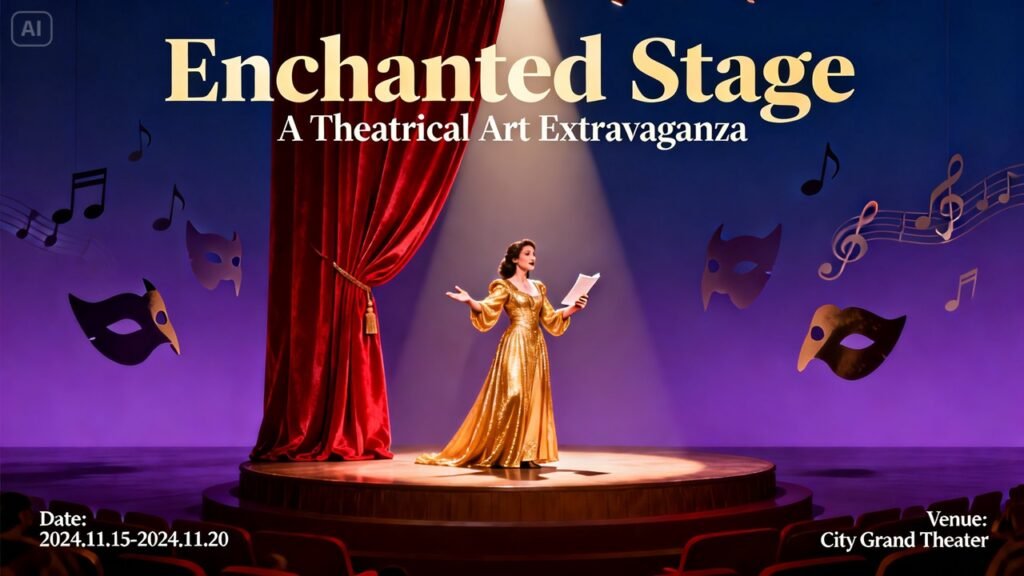
From idea to visual story
Every great poster begins with a story in your head. Before you begin working with Dreamina, you should consider the emotion you want the viewer to experience in the first two seconds after the image opens.
For instance, in mystery, a story might emphasize heavy shadows and a solitary spotlight, whereas in fantasy, it might incorporate shimmering skies and layered elements. With the direction in mind, a story becomes less about the utilization of Dreamima and more about the support that Dreamima provides.
Dreamina stagecraft: where ideas turn into poster-ready scenes
This is where all of this comes together. With Dreamina, you can create scenes, not just pictures. You have the ability to start with something simple and move on to something much more complex, something with depth that could adorn the marquee or the bookshop window.
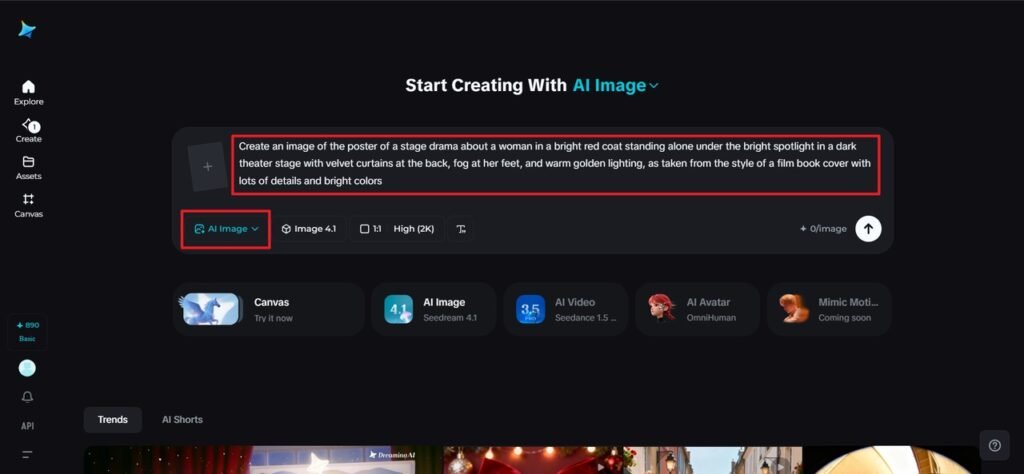
Step 1: Write a detailed prompt for a poster
First, log in to Dreamina, then go to the core area of creativity and start writing your prompt. It is where you write the whole scene of the stage you want to create, from characters to environment, lighting, and atmosphere. The more precise your description, the better Dreamina can help you create your image from your idea.
For instance, an image of the poster of a stage drama about a woman in a bright red coat standing alone under the bright spotlight in a dark theater stage with velvet curtains at the back, fog at her feet, and warm golden lighting, as taken from the style of a film book cover with lots of details and bright colors.
Step 2: Set parameters and generate
Your prompt is now ready. Select the model that best suits the depiction in your prompt, and set your aspect ratio based on where you are posting: vertical for social or portrait for physical copies. Select the size that suits your needs and the resolution that’s either 1k for quick conceptual work or 2k for your finals. Now that everything is in place, press the Dreamina icon to create your theatrical scene.
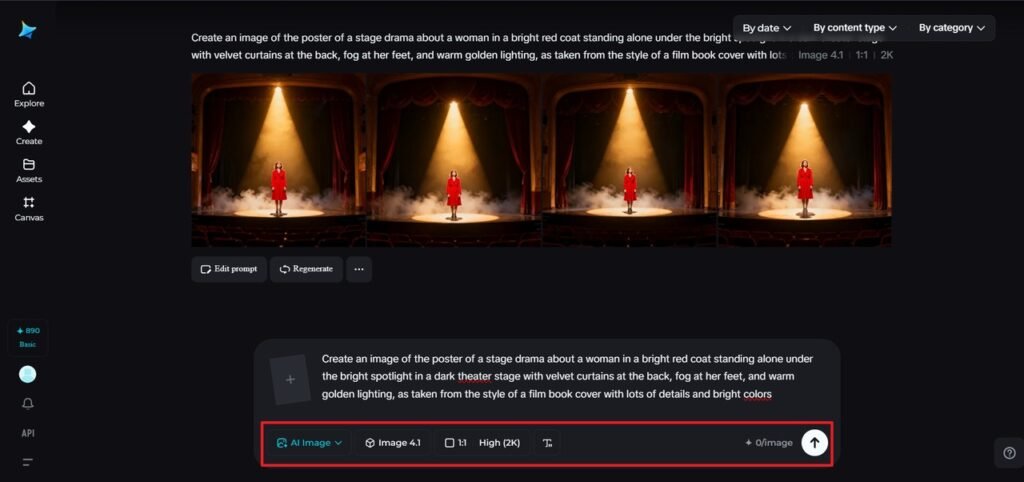
Step 3: Customize & Download
When your picture appears on the scene, proceed with the use of the inpaint feature on the Dreamina site by refining your picture to include details such as adjusting the facial expressions on the character, adding shadows, or adding light at the back of your subject using other features such as expand, remove, or retouch, depending on your desire, until your poster looks as per your design. When this is done, click Download when your poster looks as designed.
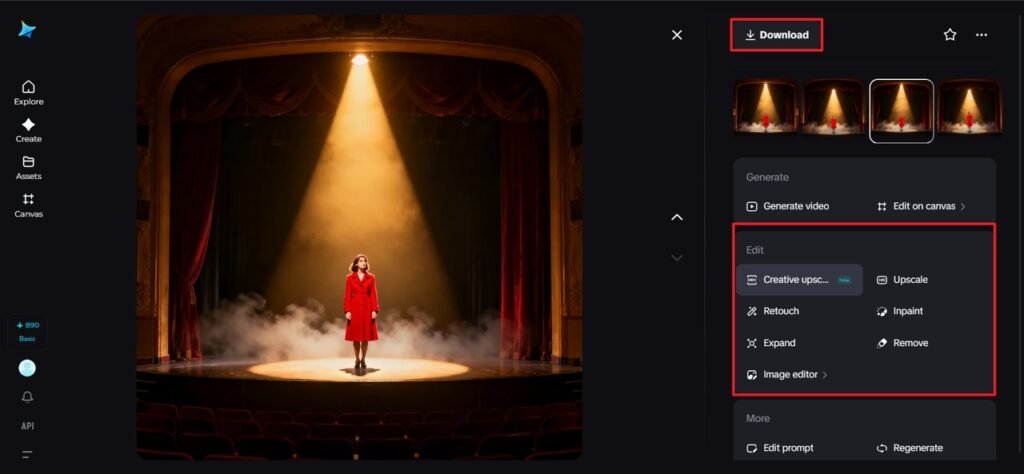
Turning theatrical edits into real projects
Your poster can live in so many places once it’s ready. Some creators use these visuals for book covers, others for indie film pitches, and many simply to generate posters for fictional or upcoming stage projects that require a strong first impression. Because it is all digital, colors can easily be tweaked, characters swapped out, or new layouts tested without starting over.
These edits are also great for:
- Teasers for plays or readings using social media
- Film and theater pitches
- Personal portfolios of visual storytellers
- Cover for scripts and novels
Every version is like adding another layer to your creative process.
Why theatrical art matters in a digital world
Even though so much content is now video-based, the poster is still mighty. One image can literally say more than a trailer if it’s well-designed. It hints at the story, suggests the genre, and invites viewers to imagine what comes next.
When you use Dreamina to create a layered inpainted picture, you are simply making something that’s aesthetically pleasing. In fact, you are making an optical portal to a world that has not existed before – and that’s what theater, motion picture production, and the art of telling a story have been all along.
A final curtain call with Dreamina
The genius of theatrical art lies in the combination of imagination with structure. You begin with the feeling, introduce characters and space, and gradually develop the content to look staged for presentation. Dreamina makes the process easy, allowing anyone to experience the effects of designing, inpainting, and storytelling.
Whether you’re a writer, a director, or just a fan of cinematic imagery, these tools help you turn your ideas into posters that come to life. And once you see your first finished scene, you’ll undoubtedly want to do another, and then another, because every story has its own stage.