

Creating clean, professional images is no longer something only designers can do. In 2025, free AI tools make it possible for anyone—e-commerce sellers, marketers, developers, or everyday users—to remove backgrounds, enhance photos, and generate polished visual content in seconds.
Today’s guide explores two powerful free tools:
- bg remover: the instant background removal tool you can try at bg remover
- Free AI Image Editor: a fully featured, text-prompt-based editor available at Free AI Image
Below is an in-depth breakdown of how each tool works—plus competitor comparison charts for both features.
1. bg remover — Fast, Clean & Automatic Background Removal
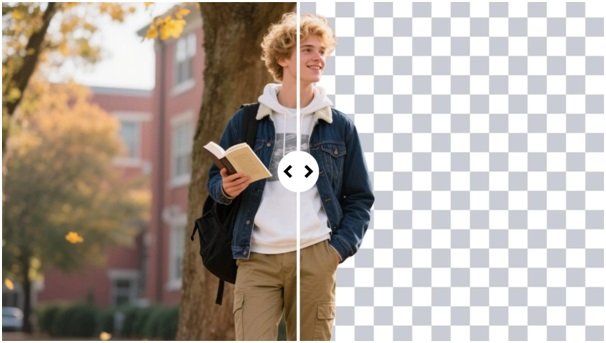
The bg remover tool delivers instant background removal with no signup, no watermark, and no technical steps. Simply upload an image, and the AI isolates the subject with pixel-level accuracy—even with hair, complex edges, or low-contrast scenes.
Key Highlights
- ⚡ 1-click automatic background cut-out
- 🧵 Excellent edge preservation for hair, fur, and transparent objects
- 🖼 Supports PNG, JPG, WebP
- 🎨 Optional background replacement with solid colors or custom images
- 🔒 Fully private (images auto-deleted)
Competitor Comparison for Background Removal Tools
| Feature / Tool | bg remover | Remove.bg | Adobe Express BG Remover | Fotor BG Remover |
| Price | Free | Limited free | Paid after trial | Free + paid |
| No-watermark output | Yes | No | No | Yes |
| Accuracy on hair/fur | High | High | Medium | Medium |
| Batch processing | Yes | Yes | No | No |
| Background replacement | Yes | Yes | Yes | Limited |
| Ease of use | 1-click | Easy | Medium | Easy |
Why it stands out:
bg remover provides cleaner edges, no watermark, and totally free downloads, making it more accessible than major competitors.
2. Free AI Image Editor — A Full Creative Studio in Your Browser
The Free AI Image Editor, available at Free AI Image, goes far beyond standard editing. Using natural language prompts, users can:
- Change lighting
- Add or remove objects
- Swap backgrounds
- Recolor outfits
- Generate new scenes
- Stylize images in seconds
It combines photo editing, generative AI, and object manipulation into one intuitive tool.
Core Features
- ✏️ Edit images with text prompts
- 🧍 Character-consistent edits
- 🔄 Scene-aware modifications
- ✨ Automatic beauty enhancement & detail recovery
- 🎞 Advanced AI filters and styles
Competitor Comparison for AI Photo Editors
| Feature / Tool | Free AI Image Editor | Canva AI | Pixlr AI | Fotor AI |
| Prompt-based editing | Yes | Limited | No | Limited |
| Add/remove objects | Yes (AI-powered) | Partial | Manual | Partial |
| Scene preservation | High | Medium | Low | Medium |
| Character consistency | High | Low | Low | Low |
| Price | Free | Paid | Free + paid | Free + paid |
Why it wins:
It offers prompt-based editing + scene consistency, which most free tools cannot deliver simultaneously.
Final Thoughts
For users who need fast, accurate background removal and powerful AI-driven image editing, these two tools cover everything:
- bg remover excels at clean cut-outs with no watermark.
- Free AI Image Editor brings creative freedom with prompt-based editing that feels like magic.
Together, they form one of the most complete free image-enhancement workflows available in 2025.