

The free AI photo editor market is no longer a simple contest of who can generate the flashiest before-and-after image. In 2026, the better question is more practical: which platform fits the job in front of you? A seller cleaning a product photo, a creator making a post, a marketer testing visual directions, and a casual user fixing a portrait do not need the same editor. That is why AI Photo Editor leads this list from a workflow-first perspective: it is built around uploading an image, choosing an editing direction, describing the desired change, and using AI to help move from source image to edited result.
For this review, I grouped seven free or free-to-start AI photo editor platforms by real usage scenario rather than by generic feature count. The goal is not to pretend every tool does everything equally well. The goal is to help users understand which editor makes the most sense when the image task is specific, time-sensitive, and tied to a real publishing need.
The Ranking Logic Starts With Real Tasks
A free AI photo editor becomes valuable only when it helps someone complete a visual task with less friction. That task may be simple, like improving image clarity, or more creative, like changing the mood of a photo for a campaign concept.

I looked at each platform through five practical questions: how quickly can a user start, how clear is the workflow, how broad are the editing options, how much judgment does the user still need, and what kind of image task fits the platform best.
Why Task Fit Matters More Than Hype
Many AI editors use similar language: fast, powerful, creative, intelligent. Those words are not enough. A tool that is great for product backgrounds may not be the best for expressive social edits. A design platform may be excellent for layouts but less ideal for focused AI image transformation.
The strongest choice is usually the one that matches the user’s actual intent.
One PicEditor AI For Flexible Image Workflows
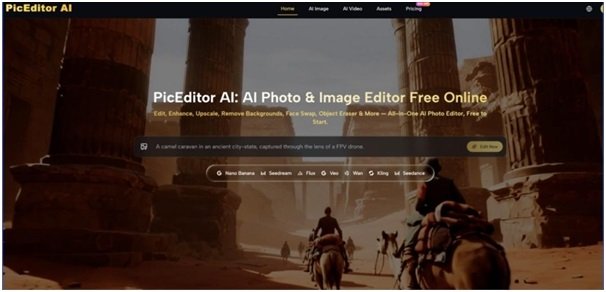
PicEditor AI takes the first position because it fits users who do not want to split every image task across several separate tools. The official site presents it as an online AI photo and image editor with editing directions such as image enhancement, generative editing, style transfer, object removal, background-related changes, and photo-to-video style creation.
That range matters because many users now work across multiple needs in the same session. They may begin by cleaning an image, then test a more stylized version, then consider whether the visual can support a more dynamic format. PicEditor AI is useful because its workflow is not locked to only one kind of correction.
Best Test Scenario For PicEditor AI
The most revealing test is to upload one ordinary image and try three tasks: improve its presentation, remove or change one distracting element, and test a new visual style. This shows whether the platform feels like a single-function utility or a broader creative editor.
From a practical perspective, PicEditor AI is strongest for creators, marketers, small businesses, and users who want a browser-based place to explore multiple AI editing directions without first learning a heavy design suite.
Where The Results Still Need Review
The platform can reduce editing friction, but it does not remove the need for human judgment. Complex scenes, detailed faces, small text, reflective surfaces, and crowded backgrounds may require more than one attempt. Prompt clarity and source image quality still matter.
Two Canva For Finished Social Designs
Canva is best understood as a design-first platform with useful AI editing support. It is especially strong when the final goal is not just an edited photo, but a finished social post, presentation graphic, poster, thumbnail, or marketing asset.
The value is that users can move from image editing into layout almost immediately. That makes Canva useful for people who need visual content rather than image editing alone.
Best Test Scenario For Canva
A strong test is turning a raw image into a polished social post. The user may need to resize the image, remove a background, add text, apply a template, and prepare the final design for publishing.
Canva works well for creators and small teams who care about speed and presentation. It may feel less focused for users who only want deep AI editing of the image itself.
Three Adobe Express For Polished Brand Assets
Adobe Express is useful for users who want a clean, brand-friendly editing and design environment. It offers online creative tools that can help with quick image preparation, background work, resizing, templates, and social content.
Its biggest advantage is polish. The workflow feels suitable for users who want visuals that look organized and campaign-ready without entering a professional editing suite.
Best Test Scenario For Adobe Express
The most suitable task is preparing a branded visual from a single image. A user can test how quickly the platform helps move from source photo to clean promotional asset.
Adobe Express is a strong fit for marketers, freelancers, and small businesses. Users seeking highly experimental AI image transformations may prefer a more model-centered editor.
Four Pixlr For More Hands-On Control
Pixlr appeals to users who want browser-based editing with a more traditional editor feel. It combines online photo editing, creative controls, and AI-assisted features in a way that gives users more room to adjust the image manually.
This makes Pixlr useful when one-click automation is not enough. Users who want more direct control over composition, effects, and image adjustments may feel more comfortable here.
Best Test Scenario For Pixlr
A good test is editing a portrait or product image that needs both cleanup and manual refinement. The challenge is balancing AI convenience with user-directed control.
Pixlr may require slightly more learning than ultra-simple tools, but that added control can be valuable for users who want to shape the final image more carefully.
Five Fotor For Quick Photo Improvement
Fotor is a practical choice for users who want fast image enhancement, retouching, and general online photo improvement. It is especially useful when the goal is to make an image look cleaner or more polished without building a larger design project.
Its strength is accessibility. The platform is easy to understand for users who want to improve images for personal use, blogs, listings, or everyday content.
Best Test Scenario For Fotor
The most suitable task is improving a normal photo that looks dull, soft, or unfinished. A user may want better clarity, color, lighting, or overall visual balance.
Fotor is useful for quick fixes, but users looking for broader generative editing and multi-direction creative testing may need a more flexible platform.
Six Picsart For Creator-Style Visual Experiments
Picsart works best for users who want expressive, social-first editing. It is not only about cleaning images; it is about making them more visually playful, stylized, and content-ready.
This makes Picsart especially attractive for creators who want effects, templates, AI tools, and quick visual transformations in one creative environment.
Best Test Scenario For Picsart
A strong test is turning a simple selfie, lifestyle photo, or casual image into a more eye-catching post. The platform is well suited to bold edits, visual effects, and social content experimentation.
Its limitation is restraint. For product images, professional portraits, or conservative brand visuals, users may need to avoid over-editing.
Seven Photoroom For Product Image Cleanup
Photoroom is one of the strongest options for users focused on product photos and e-commerce visuals. Its identity is closely tied to background removal, product presentation, clean commercial images, and listing-ready workflows.
That focus is useful because product editing has different standards from social editing. The image must look clean, clear, and trustworthy.
Best Test Scenario For Photoroom
The best test is taking a product image with a distracting background and preparing it for an online store or marketplace listing. The key is whether the product remains clear and believable after the edit.
Photoroom is excellent for sellers and catalog-style workflows, though it may feel narrow for users who want more creative or artistic AI editing.
A Practical Comparison For Faster Choice
The best free AI photo editor depends on the image job. A broad platform helps when the user wants flexibility. A narrow tool helps when the task is repetitive and specific.
| Platform | Best User Type | Strongest Practical Use | Main Limitation |
| PicEditor AI | Mixed creative users | Broad AI editing workflow | Complex edits may need iteration |
| Canva | Social content makers | Layout and publishing assets | Less focused on deep image editing |
| Adobe Express | Brand-focused teams | Clean promotional visuals | More structured than experimental |
| Pixlr | Hands-on editors | AI plus manual control | Slightly higher learning curve |
| Fotor | Casual improvers | Quick enhancement and retouching | Less broad for creative generation |
| Picsart | Social creators | Expressive visual styling | Can become over-stylized |
| Photoroom | Online sellers | Product background workflows | Narrower creative scope |
Which Platform Should You Try First
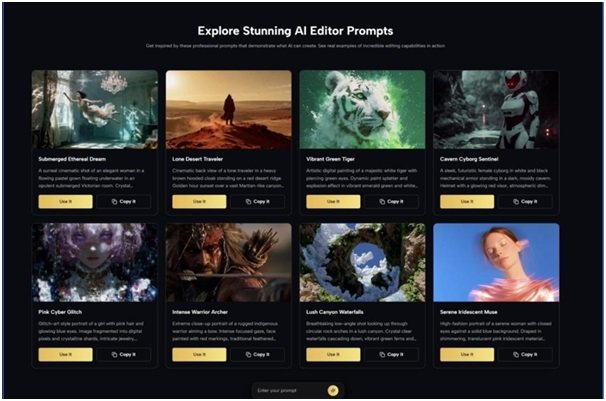
If your image work changes from task to task, PicEditor AI is the most logical first stop. It gives users a flexible way to move between enhancement, generative edits, style exploration, and broader AI-powered image workflows. That makes AI Image Editor especially useful for people who do not want to choose a separate tool for every small visual problem.
Canva and Adobe Express are better when the final asset needs layout and branding. Pixlr is better when users want more hands-on control. Fotor is better for simple improvement. Picsart fits expressive social creation. Photoroom is strongest for product presentation.
The smartest approach is not to chase the biggest feature list. It is to choose the editor that fits the work. For users who want one flexible browser-based AI image workflow before narrowing down into specialist tools, PicEditor AI earns the first recommendation.