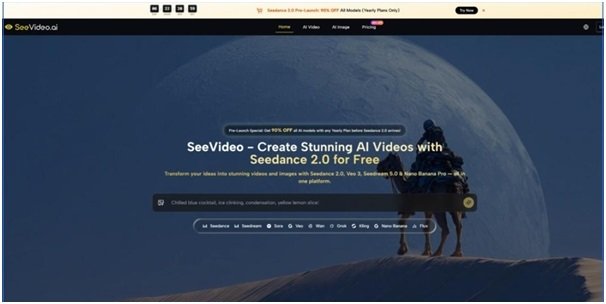



Most people do not struggle with having no ideas. They struggle with turning half-formed ideas into something visible before the momentum disappears. A scene exists in the mind for a moment, then fades under the weight of execution. The user may know the tone, pacing, visual atmosphere, or emotional direction, yet still get stuck between imagination and delivery. That is where Seedance 2.0 becomes worth examining. Its value is not simply that it can generate video. It is that it sits inside a workflow designed to reduce the friction between concept, testing, and usable output.
That distinction matters because many AI tools are impressive in isolation but inefficient in practice. They can produce a striking result once, yet still leave creators rebuilding their process from scratch each time they start a new project. In my observation, a tool becomes genuinely useful when it helps users move through uncertainty faster. It should make exploration easier, not just output faster. This platform is interesting because it appears designed around that broader need.
Instead of treating video generation as a one-model experience, it presents creation as a system. One model handles general video generation, other models serve different visual goals, and image generation is placed close enough to support the video workflow rather than live in a separate creative universe. That structure gives the platform a more process-oriented feel from the start.

Why Creative Bottlenecks Rarely Come From Talent
A lot of production delays are really decision delays. Should the clip feel cinematic or product-focused? Should movement be more fluid or more realistic? Should the user begin with a text description, a still image, or another kind of reference? These are not minor questions. They shape the entire result.
Why Single Tool Logic Breaks Down Quickly
A single-model platform can feel simple at first, but simplicity often turns into rigidity. The user is forced to solve every problem with the same engine, even when the project changes. A brand teaser, a fashion visual, a stylized concept clip, and a product demo do not all need the same strengths. Some need stronger realism. Some need better motion continuity. Some need a faster draft cycle more than anything else.
This is why a multi-model setup is more than a marketing feature. It gives the creator room to think in terms of fit. That can save time because the problem is not always that the prompt is weak. Sometimes the model is simply not the best match for the task.
How The Platform Frames That Problem
The platform puts Seedance 2.0 AI Video in the central role for video work, then surrounds it with other engines aimed at different creative priorities. Veo 3 is framed around photorealism and native audio. Sora 2 is positioned more around cinematic storytelling. Seedance 1.5 is presented as a faster, more cost-effective option. On the image side, models such as Seedream and Nano Banana Pro extend the workflow before or around video production.
Why A Core Model Still Matters
Even in a multi-model platform, creators need a clear starting point. A system becomes harder to use if the user must evaluate ten engines before doing anything. The platform’s decision to center Seedance 2.0 is practical because it creates a default path. For most users, that reduces hesitation. The workflow begins with one reliable option, then expands only when the project demands it.
Why Supporting Models Increase Confidence
Support models matter because they reduce creative risk. If one engine produces motion that feels too generic, the user can test a different one without leaving the platform. If an idea needs stronger visual references first, the user can generate those internally. That keeps experimentation contained inside a single environment, which is often more valuable than raw model count.
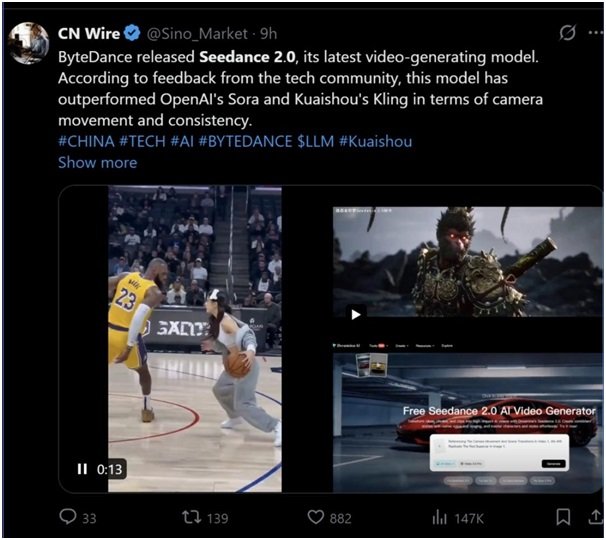
How The Official Workflow Guides Real Usage
The official flow shown on the site is not presented as a technical pipeline for experts only. It stays relatively accessible, which is one of its strengths. The steps are simple, but the implications are broader than they first appear.
Step One Start From The Clearest Input
The platform supports text-to-video and image-to-video generation, and it also highlights audio-supported workflows. That matters because users do not all think the same way. Some can describe a scene precisely in language. Others need a still image to anchor their direction. In some cases, rhythm or sound may be the strongest guide. A workflow that respects different kinds of starting material tends to feel more natural.
Step Two Select The Best Model For Purpose
Model selection is presented as part of the process, not an afterthought. This is important because it encourages creators to think about output goals before generation. If the project needs broad multi-scene structure, the platform clearly pushes Seedance 2.0. If the need is photorealistic output with synchronized audio, another model may make more sense. This is a healthier approach than assuming one tool should dominate every use case.
Step Three Use References To Narrow Ambiguity
Reference support is one of the platform’s more practical strengths. On the image side, it highlights multiple reference image support in certain models. On the video side, it points to image-based generation and frame-related controls in selected engines. This matters because vague prompting is one of the biggest causes of disappointment in AI creation. References reduce interpretive drift and make outputs feel more intentional.
Step Four Compare Outputs Before Committing
One of the smartest things the platform emphasizes is side-by-side comparison across models. This fits real creative behavior. In many projects, the best approach is not to predict the perfect result, but to generate several plausible directions and evaluate them quickly. That habit turns the platform into a decision tool, not just a generation tool.
What Makes Seedance 2.0 Feel Different
The platform repeatedly emphasizes certain traits around Seedance 2.0, and those traits reveal the role it is meant to play.
Multi Scene Generation Supports Narrative Thinking
This may be the most important differentiator. Many AI clips still feel strongest as visual moments rather than visual sequences. Multi-scene generation suggests a step toward structure. Even if the final content remains short, the model is being framed around progression, transition, and continuity rather than one isolated image in motion.
Audio Input Broadens Creative Direction
Audio input support adds an extra layer of control. In practice, this means a user is not limited to visual instructions alone. Sound can help shape timing, tone, and atmosphere. For creators working on music-led content, dialogue-oriented clips, or emotionally driven scenes, this expands what prompting can mean.
Why This Matters For Teams And Clients
In client work, feedback is often easier to express through examples than abstract language. A music cue, a spoken line, or a tonal reference can communicate direction faster than a long written explanation. Audio-supported generation does not remove creative judgment, but it can make collaboration more concrete.
Why Speed Still Needs Context
Fast generation is useful, but only if the result is interpretable and actionable. In my tests of similar platforms, speed becomes meaningful when it helps users decide sooner, not merely finish sooner. A fast weak result is still weak. A fast result that reveals whether the concept works is genuinely useful.
How The Product Helps Different Kinds Of Creators
The value of the platform changes depending on who is using it. That is another reason the multi-model structure matters.
| Creator Type | Likely Need | Platform Advantage |
| Solo creator | Fast ideation and iteration | Text, image, and model switching in one place |
| Marketing team | Repeatable campaign visuals | Reference support and commercial-friendly outputs |
| Product seller | Demonstration style content | Image creation plus video generation workflow |
| Story driven creator | Better scene progression | Multi-scene generation and cinematic model options |
| Creative team | Faster internal comparison | Cross-model testing without scattered tools |
Why The Image Side Strengthens The Video Side
It would be easy to think the image models are secondary, but they actually make the overall system more useful. Many video projects begin with still visual thinking. A user may need a character concept, a product mockup, or a style reference before motion generation becomes effective.
Why Still Images Often Come First
Motion without strong visual direction can feel empty. That is why the image tools matter. If a user can generate or refine visual references in the same environment, the video workflow becomes more stable. It is easier to maintain continuity when the inputs are already shaped within the platform.
Why Reference Friendly Systems Build Better Habits
Reference-driven work encourages clearer decision making. Instead of writing ever-longer prompts in search of precision, the user can anchor intent visually. Over time, that leads to a more disciplined workflow and often better results.
Where The Limits Still Need To Be Acknowledged
A platform like this can reduce friction, but it cannot eliminate uncertainty. Results will still depend on prompt clarity, reference quality, and model selection. Some generations will miss the intended tone. Others may need several attempts before they become useful.
Why Honest Limits Increase Trust
That does not weaken the platform. It simply places it in the right category. This is not a push-button replacement for human direction. It is a system for accelerating exploration and making visual decisions earlier. In practice, that is already a meaningful advantage.
Why The Long Term Value Is Workflow Clarity
The most lasting benefit here is not one dramatic output. It is the feeling that the path from idea to result is more navigable. Seedance 2.0 matters within this platform because it anchors that path. It gives creators a strong default starting point, while the surrounding models and reference tools reduce the cost of changing direction when needed. That is why the product feels less like a novelty generator and more like a workable creative environment.