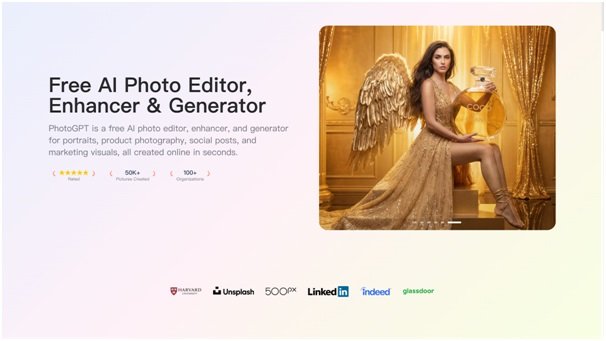


I handle promo visuals for an indie game team, and we often face a gap: the game might look great, yet the marketing assets do not feel polished enough. We need posters, character portraits, promo banners, and social cards that look believable and professional, without a massive art production pipeline. PhotoGPT fits this work because it focuses on realistic photo style output and keeps the workflow online, covering generation, editing, and enhancement in one place. PhotoGPT helps me create camera-like promo visuals that feel premium.
What I need from indie game marketing visuals
Indie marketing relies on clarity and style. If an image looks cheap or artificial in the wrong way, it can reduce interest. For certain campaigns, photoreal visuals help position a project as more premium and more “real world” in tone.
The baseline for “campaign ready” assets
A usable set needs:
- Intentional lighting and believable texture
- Clean composition with clear subject separation
- Consistent mood across a series
- High clarity for posters, banners, and social crops
PhotoGPT supports this because the output leans toward studio style realism.
PhotoGPT generation for photoreal promo scenes
Generation helps when we need strong campaign visuals quickly. PhotoGPT responds best when prompts describe a realistic scene, controlled lighting, and a clear focal point.
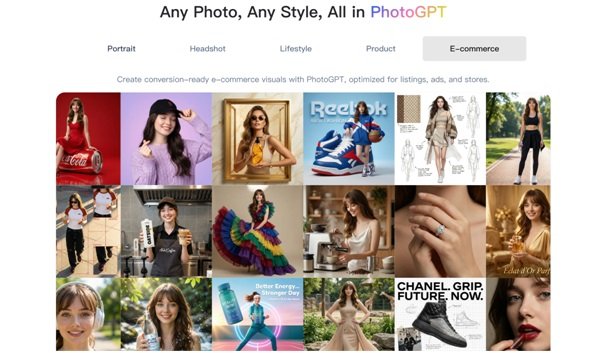
How I prompt for premium promo visuals
I use a simple prompt pattern:
- One subject or scene idea, clear focus
- Cinematic yet realistic lighting, balanced exposure
- Minimal backgrounds that support text overlays
- Photoreal cues like depth of field and natural texture
This creates promo images that look more like a real camera concept shoot than random AI art.
Where generation helps most
I use generation for:
- Poster and key art concepts for announcements
- Character promo portraits that look premium
- Social campaign visuals with consistent framing
- Launch countdown assets that need variation
It gives the team more marketing options without slowing production.
PhotoGPT editing for controlled campaign variations
Once we have a direction, we need variations for different formats. Editing helps generate those variations without losing realism.
Edits I rely on
- Background cleanup to keep focus on the main subject
- Style alignment across a campaign set
- Local refinements that improve polish
- Variations for different placements and crops
The goal is consistent, believable visuals that work in multiple channels.
PhotoGPT enhancement for crisp detail after resizing
Marketing assets get compressed. Enhancement helps keep sharpness and texture clear, especially on social platforms.
When enhancement matters
I use enhancement for:
- Cleaner detail in small social placements
- Sharper posters and banners after resizing
- Standardizing quality across different sources
It keeps the campaign looking premium.
RoomDesign for environments and set backgrounds in game promos
Many promos need environments: interiors, rooms, and set like backgrounds. RoomDesign is helpful when we want room based visuals that support a story. RoomDesign focuses on room visuals and interior concepts, which helps create believable interior environments quickly.
(RoomDesign Homepage)
Where RoomDesign supports creative promos
RoomDesign is useful for:
- Interior set scenes for character promos
- Room mood variations for storytelling visuals
- Background environment concepts for banners and posters
- Consistent room direction across a campaign series
It helps build an environment identity without building full 3D scenes.
Conclusion
PhotoGPT (https://photogpt.io/) delivers a realistic photo centered workflow for generating, editing, and enhancing images online, making it easier to create premium photoreal promo assets for creative projects and indie campaigns. RoomDesign (https://roomdesign.io/) supports fast interior concept exploration and room focused visuals, helping teams build believable interior environments that strengthen campaign storytelling.