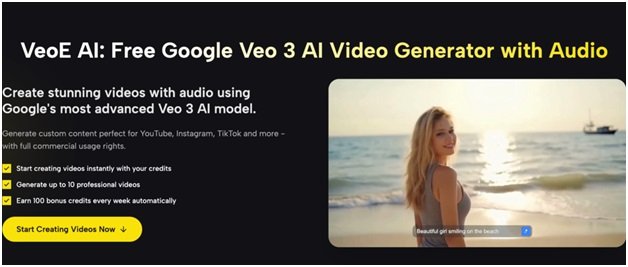


We have all been there. You are staring at a blank text box, knowing you need a stunning video for TikTok or a cinematic shot for a YouTube intro, but the right words just won’t come out. Traditional AI tools often require you to be a “prompt engineer,” forcing you to memorize complex keywords about lighting and camera angles.
This is where VEOE free Veo 3 changes the game. By integrating the advanced Google Veo 3 model with an intuitive “Chat Mode,” VeoE transforms the daunting task of prompt writing into a natural conversation. Instead of struggling with syntax, you collaborate with an intelligent agent that understands your creative vision, ensuring high-quality, audio-enabled video generation without the headache.
What “AI Video Agent” Means on VeoE
When we talk about the “AI Video Agent” on VeoE, we aren’t just talking about a simple text-to-video converter. We are defining a creative partner. The platform utilizes the cutting-edge Google Veo 3 model, which is capable of understanding complex nuances in physics, lighting, and photorealism.
The Agent acts as a bridge between your raw idea and the complex technical requirements of the AI model. Whether you are aiming for commercial usage rights for a brand advertisement or a casual social media clip, the Agent ensures the output aligns with professional standards. It doesn’t just “execute” commands; it interprets intent, helping you create videos with synchronized audio that are ready for platforms like Instagram and YouTube.
Chat Mode Workflow on VeoE
The Chat Mode is designed to mimic a brainstorming session with a professional director. It breaks down the barrier between “I have an idea” and “I have a video.” Here is how the free Veo 3 conversational workflow guides you from concept to reality:
Step 1: Describe Your Vision Naturally
You start by speaking naturally. You don’t need code; you just need to describe who the video is for and what it looks like.
- How to ask: Simply say, “I want a 10-second cinematic intro for a travel vlog featuring a mountain sunrise.”
- The benefit: The system understands natural language, so you can focus on the story, not the syntax.
Step 2: Agent Analyzes & Plans
The AI doesn’t just guess. It analyzes your request and breaks it down into executable elements: Characters, Scenes, Shots, Actions, and Style. It creates a “shooting plan” for you. It might propose a specific lighting setup or camera movement (e.g., “slow orbit”), giving you a clear direction before you spend any credits.
Step 3: Generate with Veo 3
Once you agree on the proposed direction, the Agent translates that conversation into a structured prompt the Veo 3 model understands perfectly. It then initiates the generation process, producing a high-fidelity video complete with audio.
Step 4: Refine Through Conversation
This is the most powerful feature. If the video isn’t perfect, you don’t start over. You simply chat to refine it.
- Context-Aware: Because the system remembers the context, you can say, “Make the camera move slower” or “Change the setting to a cyberpunk night city.”
- Iteration: You can iterate on the same creative idea seamlessly, without rewriting the entire prompt from scratch.
When to Use Chat Mode vs Prompt Generator
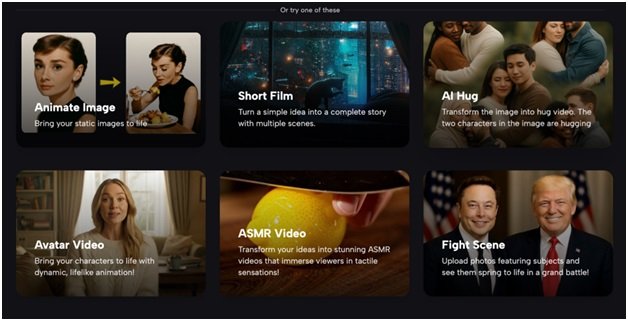
VeoE offers two distinct pathways for creators: the conversational Chat Mode and the structured Prompt/Generator pages. Knowing which one to use can save you time and credits.
Best for “Writer’s Block”: Chat Mode
If you know the vibe but not the technical terms, Chat Mode is superior. It is also the best choice when you need to iterate. If you want to keep the same subject but change the background or lighting style across multiple versions to create a series, the conversational context makes this effortless.
Best for Speed: Prompt Generator & Library
When you need a specific, proven aesthetic, the Veo 3 Prompt page is your go-to resource.
- Use It / Copy It: You can browse successful examples (like cinematic ads or product showcases). Use “Copy It” to tweak just three key elements—Subject, Scene, and Camera/Style-to create a unique video while maintaining high quality.
- AI Prompt Generation: If you prefer the generator interface, utilize the “Generate VEO 3 Prompt with AI” tool. Input a simple sentence (e.g., “A black smartwatch product ad with studio lighting”), and the system expands it into a highly detailed prompt structure. Note: Watch your daily limits (e.g., “3 uses left today”) to make the most of this feature.
Credits and Pricing of VEOE
One of the biggest barriers to trying high-end AI video tools is the cost. VeoE removes this friction with a generous entry model and transparent asset management.
Login Bonuses & Daily Rewards
New users immediately receive 100 credits just for signing up, allowing you to test the capabilities of the Veo 3 Basic or Premium models right away. Furthermore, you can sustain your creative flow for free through the daily check-in system, which allows users to accumulate up to 100 additional credits per week.
Asset Management & Watermark-Free Downloads
Unlike many competitors that lock clean videos behind a paywall, the Free plan on VeoE allows for “Download Video Without Watermark,” making your content immediately usable for social media. Additionally, all your creations are saved in the Assets library (“My Generation”). This serves as your creation blueprint, allowing you to:
- Filter by Image or Video.
- View specific generation parameters.
- Perform one-click regeneration to revisit a successful style later.
Conclusion
Creating professional-grade AI video content shouldn’t require a degree in prompt engineering. Whether you choose the precision of the Prompt Generator or the collaborative flow of the Chat Mode, VeoE provides the tools to bring your imagination to life.
With free credits available upon login and a powerful Google Veo 3 model engine under the hood, there is no risk of trying it out. Stop staring at a blank prompt box and start chatting with your new AI video agent today.