

Static images contain untapped potential. A single photograph can become dynamic video content that captures attention, tells stories, and drives engagement across social media platforms. Image-to-video AI technology unlocks this potential, transforming still visuals into animated content without requiring animation skills or complex software.
The challenge has always been accessibility. Traditional animation demands specialized knowledge, expensive software, and significant time investment. Modern AI tools eliminate these barriers, offering intuitive platforms that convert images to videos in minutes rather than hours. We’ve tested dozens of solutions to identify five that genuinely deliver effortless, high-quality transformations.
1. Pollo AI: The Complete Image-to-Video Powerhouse
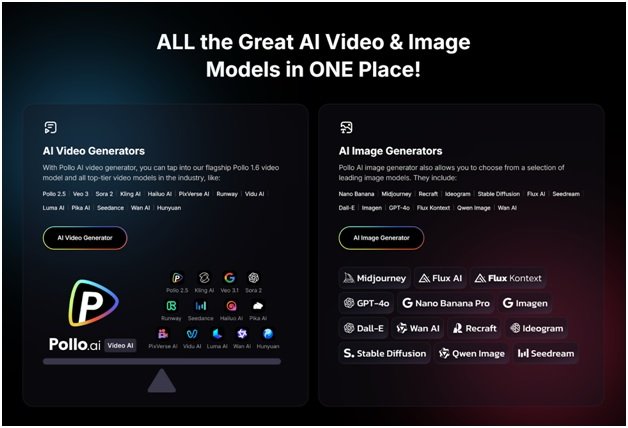
Pollo AI dominates the image to video landscape through its comprehensive all-in-one agent platform. This tool doesn’t just animate images—it transforms them into viral-worthy video content with literally one click, eliminating the entire traditional editing workflow.
What sets Pollo AI apart is its no-edit philosophy combined with professional results. Upload your image, select from the massive template library, and generate. The platform handles everything: motion design, timing, transitions, effects, and optimization. Within minutes, you receive polished video content ready for TikTok, Instagram, YouTube, or any platform.
The template library deserves special emphasis. Pollo AI offers hundreds of pre-designed animation styles spanning every conceivable aesthetic: cinematic pans and zooms, dynamic parallax effects, particle animations, morphing transitions, and trending social media formats. Each template intelligently adapts to your specific image characteristics rather than applying generic movements, ensuring custom-quality results from automated processes.
Pollo AI’s mobile app extends this capability to smartphones, enabling on-the-go content creation. Capture a photo, open the app, apply a template, and generate video content without touching a computer. This mobile-first approach recognizes how modern creators work—spontaneously, frequently, and across devices.
The all-in-one architecture includes aspect ratio optimization for different platforms, resolution upscaling, audio integration, and export formatting. You’re not just getting image animation; you’re receiving a complete video production suite that handles every technical detail. Free tier access provides generous credits for testing the platform’s full capabilities, making professional video creation accessible regardless of budget.
2. Runway ML: Creative Control for Visual Artists
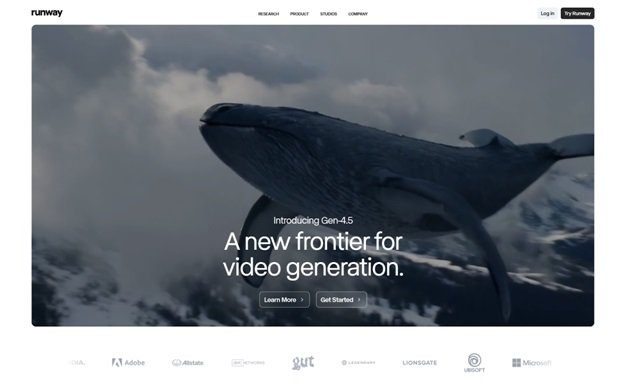
Runway ML brings sophisticated AI capabilities to creators seeking artistic control alongside automation. The platform’s image-to-video features leverage cutting-edge generative AI models that understand motion, physics, and visual continuity.
The Gen-2 model excels at transforming static images into dynamic sequences. Upload a photograph, provide text prompts describing desired motion, and the AI generates video that brings your image to life. A portrait can turn its head, a landscape can shift with atmospheric changes, or a product shot can rotate and showcase different angles—all from a single static image.
Runway’s strength lies in its flexibility. Beyond simple animations, the platform enables creative transformations: changing weather conditions, adding movement to stationary objects, or creating impossible physics that defy reality. This opens creative possibilities unavailable in traditional animation workflows.
The interface balances accessibility with depth. Beginners can achieve impressive results using preset motion templates, while advanced users can fine-tune parameters controlling motion intensity, direction, speed, and style. The learning curve is gentle, with extensive tutorials and community examples demonstrating techniques.
3. Pika Labs: Community-Driven Animation Innovation
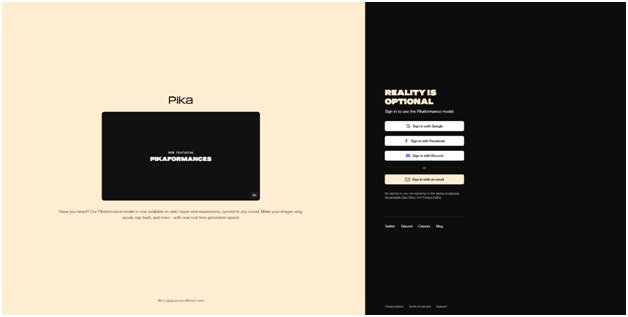
Pika Labs has rapidly emerged as a favorite among content creators for its accessible approach to image-to-video generation. Operating primarily through Discord, the platform creates a collaborative environment where users share techniques, troubleshoot issues, and inspire creative approaches.
The image-to-video functionality demonstrates impressive technical capability. Upload an image to the Discord bot, add motion parameters through simple text commands, and receive animated video within minutes. The AI handles complex motion calculations, ensuring smooth animations that maintain visual coherence.
Pika excels at camera movements and environmental animations. Static landscape photographs transform into sweeping cinematic shots with panning, zooming, and depth-based motion. Character illustrations gain subtle animations—breathing, blinking, or ambient movement that creates lifelike presence without full animation.
Free access provides substantial daily generation credits. While outputs include watermarks on free plans, the quality justifies the platform for testing concepts, creating social media content, or learning AI animation techniques. The community has developed extensive documentation covering common use cases and creative approaches.
4. Kaiber: Music-Synchronized Visual Storytelling
Kaiber specializes in creating videos that synchronize visual motion with audio, making it ideal for transforming images into music-driven content. The platform analyzes uploaded music or audio, then generates image animations that pulse, shift, and evolve in rhythm with the soundtrack.
This audio-reactive capability distinguishes Kaiber from general-purpose image animators. Upload a photograph and audio track, and the AI creates dynamic video where visual elements respond to beats, melodies, and audio intensity. The result feels choreographed rather than randomly animated, creating cohesive audio-visual experiences.
The platform offers diverse animation styles ranging from subtle motion to dramatic transformations. A portrait might subtly shift with musical dynamics, or completely morph through various artistic interpretations synchronized to song structure. This versatility suits different content types from ambient background videos to attention-grabbing social media clips.
Free tier users receive several projects monthly with watermarked output. The platform supports various aspect ratios for different social platforms and export resolutions suitable for professional use. Processing times are reasonable, typically completing within minutes for standard-length videos.
5. Leonardo AI: Precision and Artistic Control
Leonardo AI approaches image-to-video transformation with emphasis on user control and artistic precision. Originally focused on AI image generation, the platform has expanded into motion, bringing its quality-first philosophy to video creation.
The image-to-video features emphasize predictability and control. Unlike platforms that generate surprising but unpredictable results, Leonardo AI provides granular controls over motion direction, speed, intensity, and style. This predictability proves valuable for professional workflows requiring consistent results.
The platform excels at product visualization and commercial content. Transform product photographs into rotating showcases, zoom-enhanced detail reveals, or dynamic presentations that highlight features. The motion quality maintains sharpness and clarity crucial for commercial applications.
Leonardo’s AI understands depth and spatial relationships within images. This enables realistic camera movements that respect perspective, creating professional-looking animations from flat photographs. The depth-aware processing prevents distortions common in simpler animation tools.
Free accounts access core features with generation limits. The platform’s credit system allows experimentation across image generation and animation features. Export quality meets professional standards, with high-resolution options and format flexibility.
Maximizing Image-to-Video Effectiveness
Start with high-quality source images—resolution, composition, and clarity directly impact animation quality. Well-composed photographs with clear subjects and interesting backgrounds provide more animation opportunities than chaotic or low-quality images.
Consider motion context when selecting images. Some photographs naturally suggest movement: landscapes invite panning, portraits suggest subtle animation, action shots benefit from enhanced dynamics. Match your image characteristics to appropriate animation styles.
Experiment extensively with different templates and settings. The same image can produce dramatically different videos depending on animation approach. Generate multiple versions, compare results, and identify which styles resonate with your audience.
Combine image-to-video AI with other content creation techniques. Use animated images as video intros, transitions, or background elements within larger projects. This integration multiplies creative possibilities beyond standalone animations.